

Ebook File Formats: Your Practical 2026 Guide
What are the main ebook file formats?
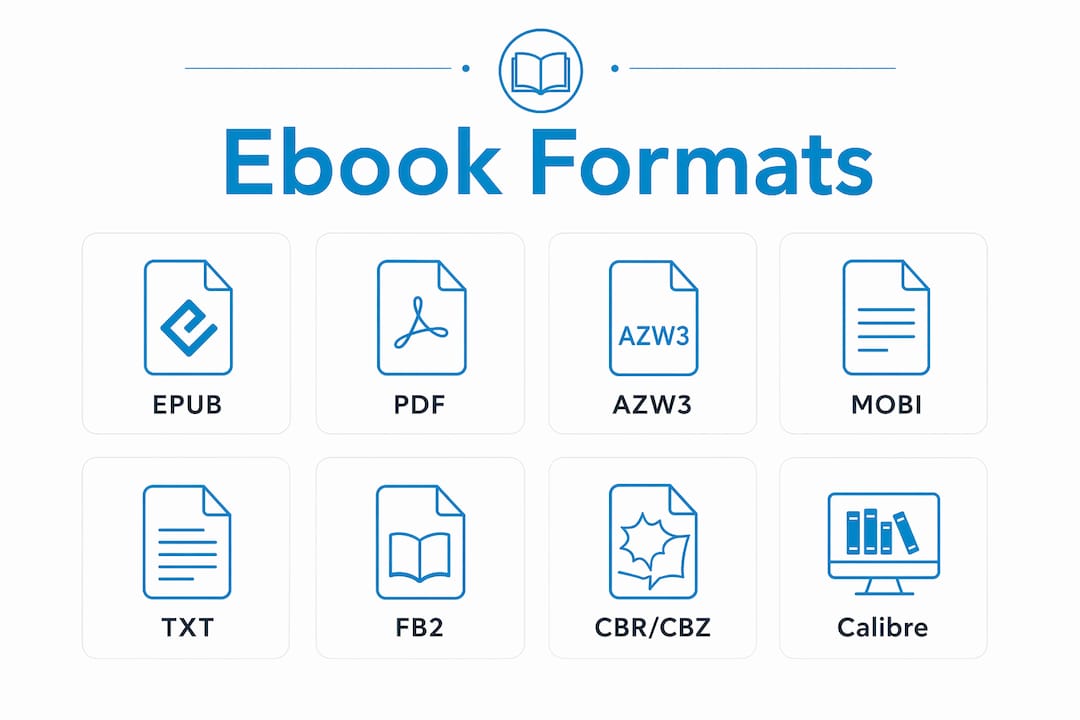
The four formats you will encounter most are EPUB, PDF, MOBI, and AZW3. Each one handles text, images, and layout differently, and picking the wrong one for your device or content type creates real friction. Multiple ebook file types exist across open standards and proprietary systems, but those four cover the vast majority of what readers and publishers actually use.
Here is a quick orientation before the deeper breakdown:
- EPUB is the open industry standard, reflowable, and supported by nearly every platform outside Amazon’s store.
- PDF locks in a fixed layout, making it ideal for design-heavy content but awkward on small screens.
- MOBI is Amazon’s legacy format, retired in 2022 and no longer worth creating new files in.
- AZW3 is Amazon’s current proprietary format, built on HTML5 and CSS3, exclusive to the Kindle ecosystem.
- TXT, FB2, CBR/CBZ cover plain text, structured fiction, and comic archives respectively, each with a narrow but loyal user base.
The right choice depends on two things: what device or app your reader uses, and whether your content needs to reflow or stay fixed. Get those two questions answered first, and the format decision mostly makes itself.
## 1. EPUB: The open standard for reflowable ebooks
EPUB is the format the publishing industry built its infrastructure around, and for good reason. It is an open standard for reflowable text, meaning the text wraps and resizes based on screen size, font preference, and user settings. A reader on a phone sees the same content as someone on a tablet, just arranged differently.
Technically, an EPUB file is a zipped package of HTML, CSS, and metadata, structured almost exactly like a small website. That architecture is why EPUB handles reflow so naturally. If you know how web pages work, you already understand most of what makes EPUB tick.
EPUB 3, the current version, goes further. It supports audio, video, MathML, and interactive elements, making it viable for educational content, textbooks, and anything that needs more than static text and images. Apple Books, Google Play Books, Kobo, Barnes & Noble Nook, and Adobe Digital Editions all read EPUB natively.
Pro Tip: If you are publishing an ebook and want the widest possible reach, create your master file in EPUB. Every other format you need can be generated from it, which saves you from maintaining multiple source files.
## 2. PDF: Fixed layout and print fidelity
PDF does one thing better than any other format: it looks exactly the same on every device. The layout, fonts, spacing, and images are locked in place. That is a genuine advantage for cookbooks, textbooks, technical manuals, and anything where visual design carries meaning.

The trade-off is readability on small screens. PDF maintains exact page layout across all devices, but without text reflow, readers on phones or compact e-readers have to pinch and zoom constantly. For a novel or a business guide, that experience gets old fast.
PDF is also the most universally readable format. Every major operating system, browser, and device handles it without additional software. That ubiquity explains why PDF remains the dominant format in electronic scholarly publishing. Academic journals, research papers, and library databases default to it because the audience typically reads on a computer, not a pocket device.
For publishers at Ebook-warehouse, PDF works well for visually rich titles like cookbooks and workbooks, where the layout is part of the product. A steak cookbook with full-page photography and precise recipe formatting is a natural fit for PDF delivery.
## 3. MOBI: Amazon’s legacy format you can stop worrying about
MOBI was the dominant Kindle format for years, and you will still find it discussed in older publishing guides. The practical reality in 2026 is simpler: Amazon retired MOBI support in 2022, replacing it with AZW3 for Kindle purchases and native EPUB support via Send to Kindle for personal documents.
If you have MOBI files in your library, they may still open on older Kindle devices. Creating new MOBI files for distribution, though, is unnecessary. Amazon’s own tools no longer produce them, and the format lacks the advanced typesetting and multimedia capabilities of its successors.
The one situation where MOBI still comes up is conversion. Tools like Calibre can read MOBI files and convert them to EPUB or AZW3, which is useful if you are migrating an older library. Beyond that, MOBI is a format to recognize, not one to build around.
## 4. AZW3: Amazon’s current Kindle format
AZW3, also called KF8, is what Amazon actually uses for Kindle Store purchases today. It is built on HTML5 and CSS3, supports embedded fonts, advanced typesetting, and enhanced layout options that MOBI never had. The reading experience on a Kindle Paperwhite or Fire tablet is noticeably better with AZW3 than with older formats.
The catch is ecosystem lock-in. AZW3 files carry Amazon’s DRM and only work on Kindle devices and the Kindle app. You cannot open an AZW3 file in Apple Books or Kobo without stripping the DRM, which is legally complicated and technically involved.
For authors publishing through Kindle Direct Publishing, AZW3 is generated automatically when you upload your manuscript. You do not create AZW3 files yourself; Amazon’s system produces them. If you are self-publishing and want to reach readers outside Amazon, you will need a separate EPUB file for every other platform.
## 5. TXT: Plain text, no frills
Plain text files (.txt) are the oldest ebook format still in active use. They contain nothing but characters, no formatting, no images, no fonts. Project Gutenberg distributes thousands of public domain titles in TXT because the format works on literally any device with a text reader.
The limitations are obvious. TXT has no chapter navigation, no styled headings, no embedded images, and no word wrap control beyond what the reading app provides. For fiction with minimal formatting needs, it is functional. For anything else, it falls short quickly.
## 6. FB2: The fiction-focused format
FictionBook 2 (.fb2) is an XML-based format developed in Russia that gained a following in Eastern Europe and among readers who use FBReader or PocketBook devices. It stores the entire book as a single structured XML file, which makes it easy to parse and convert.
FB2 handles basic formatting, metadata, and images reasonably well, but it lacks the multimedia and interactive capabilities of EPUB 3. Outside of its core user base and specific reading apps, FB2 has limited platform support in the United States. It is worth knowing about if you encounter files from international sources, but it is not a format American publishers typically target.
## 7. CBR and CBZ: Comic book archives
CBR (.cbr) and CBZ (.cbz) are not true ebook formats in the publishing sense. They are archive files, RAR and ZIP respectively, containing a sequence of image files. Comic book readers like CDisplayEx or Panels open them and display the images page by page.
They work well for scanned comics and manga because the content is image-based by nature. Text reflow is irrelevant when every page is a full illustration. If you read digital comics, you will encounter these constantly. If you publish text-based ebooks, they have no application.
## 8. Calibre: The tool that ties all formats together
Calibre is the free, open-source application that most serious ebook readers and publishers rely on for converting between formats like EPUB, MOBI, AZW3, and PDF. It also manages libraries, edits metadata, and sends files to devices. Think of it as the Swiss Army knife of personal ebook management.
The conversion quality varies by source format. EPUB to MOBI or AZW3 conversions are generally clean because the underlying HTML structure translates well. PDF conversions are a different story. Multi-column text, charts, and diagrams often do not convert cleanly from PDF to EPUB, so PDFs with complex layouts are better left as PDFs rather than forced into a reflowable format.
Calibre runs on Windows, macOS, and Linux. For readers with mixed device environments, it is the practical solution for making any file work on any device.
Advantages and disadvantages of common ebook formats
Choosing the right format comes down to your content type, your audience’s devices, and how much flexibility you need after publication.
EPUB
- Works on nearly every platform except Amazon’s store natively
- Text reflows for any screen size or font setting
- EPUB 3 supports multimedia and interactive elements
- Requires conversion to reach Kindle readers directly
- Identical appearance on every device, preserving design intent
- Universally readable without special software
- No text reflow means poor usability on small screens
- Complex layouts do not convert well to other formats, so you are often committed to PDF once you choose it
MOBI
- Still readable on older Kindle hardware
- No longer supported for new publishing workflows
- Inferior typesetting compared to AZW3
AZW3
- Best reading experience within the Kindle ecosystem
- Supports advanced fonts and layout features
- Locked to Amazon devices and apps via DRM
- Not a format you create independently; Amazon generates it from your upload
TXT
- Works on any device without exception
- No formatting, images, or navigation
- Suitable only for plain prose with no design requirements
The industry outside Amazon has largely standardized on EPUB for longevity and cross-device reach. Proprietary formats like AZW3 serve their ecosystems well but create dependency on a single platform.
Pro Tip: Start every publishing project with a clean EPUB file. It is the most portable master format, and you can derive PDFs, Kindle-compatible files, and other versions from it without rebuilding from scratch.
Which devices and apps support which formats?
Format support varies more than most readers expect, especially once you move beyond the two or three apps you use daily.
| Device / App | EPUB | AZW3 | MOBI | TXT | |
|---|---|---|---|---|---|
| Kindle (hardware) | Via Send to Kindle conversion | Yes | Yes | Older devices only | Yes |
| Kindle app (iOS/Android) | Via Send to Kindle conversion | Yes | Yes | Limited | Yes |
| Apple Books | Yes | Yes | No | No | No |
| Google Play Books | Yes | Yes | No | No | No |
| Kobo | Yes | Yes | No | No | Yes |
| Barnes & Noble Nook | Yes | Yes | No | No | Yes |
| Adobe Digital Editions | Yes | Yes | No | No | No |
| Calibre (desktop) | Yes | Yes | Yes (with conversion) | Yes | Yes |
A few details worth noting. Modern Kindle devices accept EPUB files via Send to Kindle, converting them automatically to Amazon’s internal format. You do not need to pre-convert your EPUB files before sending them to a Kindle. The conversion happens on Amazon’s servers.
PDF works everywhere in the table above, but the experience on a 6-inch e-ink screen is genuinely uncomfortable for anything with dense text or multi-column layouts. Kobo and Kindle both offer PDF reflow modes that attempt to extract text, but results are inconsistent with complex documents.
EPUB is the most widely supported format across non-Amazon platforms, which is why publishers targeting broad distribution treat it as the default. If you are building a personal library across multiple devices, EPUB files managed through Calibre give you the most flexibility. Authors thinking about choosing a publishing platform will find that most major distributors outside Amazon accept EPUB as the primary submission format.
For readers who want to explore titles across formats and devices, Ebook-warehouse offers its collection in PDF, which opens on every device listed above without any conversion step. Titles like the Blogging Marketing Workbook and personal finance guides are formatted to read cleanly on both desktop and tablet screens.
Ready to read without the format headaches?
Ebook-warehouse keeps it simple. Every title in the collection is available as a downloadable PDF, readable on your phone, tablet, laptop, or desktop without any conversion tools or special apps.
Whether you are looking to grow your income with the Maximise Your Earnings guide or build better money habits with the Empower Your Personal Finance title, every purchase gives you instant access across all your devices. Browse the full collection at Ebook-warehouse and start reading today.
Key Takeaways
EPUB is the best starting point for most ebook publishing because it combines broad device support, reflowable text, and the flexibility to convert into other formats when needed.
| Point | Details |
|---|---|
| EPUB is the open standard | Supported by nearly every platform outside Amazon, with reflowable text and multimedia support in EPUB 3. |
| PDF preserves fixed layouts | Best for design-rich content like cookbooks and textbooks, but uncomfortable on small screens without reflow. |
| MOBI is obsolete | Amazon retired MOBI support in 2022; AZW3 and native EPUB via Send to Kindle replaced it. |
| AZW3 is Kindle-only | Amazon’s current format offers advanced typesetting but locks content to the Kindle ecosystem via DRM. |
| Calibre bridges the gap | This free desktop tool converts between EPUB, MOBI, AZW3, and PDF, making mixed-device libraries manageable. |