

The Best Nook Alternatives for Downloadable eBooks in 2026
The Nook’s days as a serious contender are largely behind it. Mashable’s 2026 e-reader roundup dropped it entirely after testing, citing sluggish performance and a painful library-book process that requires downloading to a computer before transferring to the device. If you’re ready to move on, here are the strongest alternatives right now:
- Kobo Clara BW or Clara Colour — open ecosystem, native ePub support, built-in Libby for library books
- Onyx Boox Palma 2 Pro — Android-based, runs multiple reading apps simultaneously, pocket-sized
- Kindle Paperwhite — largest eBook catalog, best library integration in the US
- iPad with reading apps — full multi-format flexibility, no dedicated hardware required
- Standalone download platforms like Ebook-warehouse — DRM-free PDFs, instant access on any device, no proprietary app needed
Each path solves a different problem. The right one depends on whether you want dedicated hardware, ecosystem freedom, or simply the ability to own and read files anywhere without friction.
Table of Contents
- Why leaving the Nook ecosystem makes sense for most readers
- What DRM and file formats actually mean for your reading options
- How to access and read eBooks from Nook alternatives on any device
- Why Ebook-warehouse stands out as a leading Nook alternative
- Key Takeaways
- The case for reading outside any hardware ecosystem
- Ebook-warehouse: downloadable eBooks with no ecosystem required
Why leaving the Nook ecosystem makes sense for most readers
The core appeal of stepping outside any proprietary ecosystem is ownership. Consumer trends increasingly favor platforms that let you own DRM-free files accessible on any device, rather than titles that live inside a walled garden you don’t control.
With the Nook, that wall is real. Barnes & Noble’s digital catalog sits at roughly 4 million titles compared to over 12 million on the Kindle Store. Library book access requires a multi-step computer transfer. And the hardware itself lags behind competitors on display quality and responsiveness.
Alternatives give you format flexibility: ePub, PDF, and Mobi files that move with you across smartphones, tablets, and computers without brand-specific hardware. PDF downloads in particular work on virtually every device made in the last decade, no special app required. For niche content — personal development, cooking, business — that format flexibility matters more than it does for bestseller fiction.
Pro Tip: When evaluating any e-reader alternative, check whether it supports sideloading before you buy. Devices that accept files via USB or Wi-Fi give you permanent access to your library regardless of what happens to any store or subscription.
What DRM and file formats actually mean for your reading options
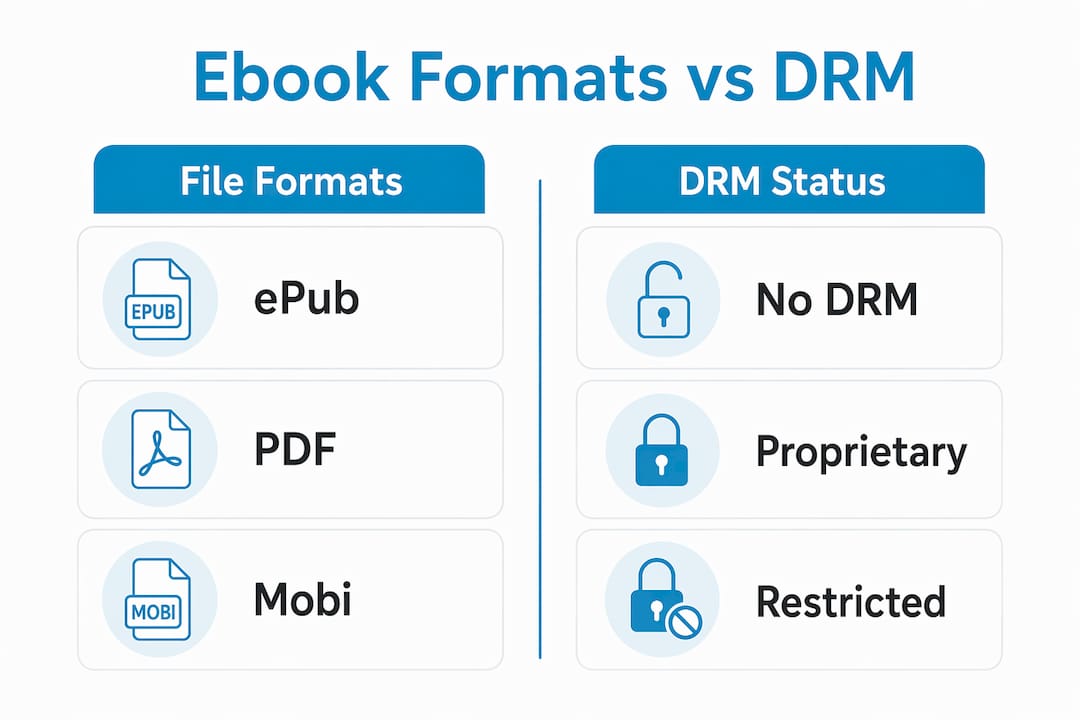
Understanding the technical side here saves real headaches later.
The three formats you’ll encounter:
- ePub — the open standard; supported natively by Kobo, Onyx Boox, Apple Books, and most non-Amazon devices
- PDF — universally readable on every device and operating system; ideal for formatted content like cookbooks or business guides
- Mobi/KFX — Amazon’s proprietary format; readable only on Kindle devices or the Kindle app
DRM (Digital Rights Management) is the layer that restricts what you can do with a file you’ve purchased. A DRM-protected ePub from the Kobo Store, for example, is locked to your Kobo account. A DRM-free PDF from a platform like Ebook-warehouse has no such restriction — you download it once and read it on your phone, laptop, or tablet without asking anyone’s permission.
Sideloading lets you manually transfer DRM-free files to devices like Kobo or Onyx Boox via USB, bypassing store ecosystems entirely. For DRM-protected library books, Adobe Digital Editions manages the transfer process on a computer, though it’s notably more cumbersome than newer devices with integrated library borrowing.
Steps to check a file’s DRM status before transferring:
- Open the file in Calibre, the free desktop library manager
- Check the file metadata — DRM-protected files will often fail to convert or display a rights warning
- DRM-free files convert cleanly between ePub and PDF using Calibre’s built-in tool
- For legally purchased DRM-protected titles, Adobe Digital Editions handles authorized device transfers
One practical note: PDF files and graphic-heavy content occupy significantly more storage than plain text eBooks. If your reading skews toward illustrated cookbooks or technical guides, prioritize a device with generous onboard storage.
How to access and read eBooks from Nook alternatives on any device
Getting set up outside the Nook ecosystem is straightforward once you know the steps.
- Choose your platform first. For DRM-free downloads, platforms like Ebook-warehouse deliver PDF files instantly after purchase — no app, no account sync required. For a broader fiction catalog, the Kobo Store or Google Play Books both support ePub with multi-device sync.
- Download your file. DRM-free PDFs save directly to your device’s downloads folder. ePub purchases from stores like Kobo sync automatically to the Kobo app on iOS, Android, or the e-reader itself.
- Transfer to a dedicated e-reader if needed. Connect your Kobo or Onyx Boox via USB, drag the file into the device’s books folder, and eject. The device indexes it automatically.
- For library books, install the Libby app on your phone or tablet, link your library card, and borrow directly. Kobo e-readers have Libby built into the device, making this even simpler.
- Manage your library with Calibre. This free desktop app organizes files, converts between formats, and keeps your collection backed up locally — something no cloud-only store can guarantee.
Direct-to-consumer digital platforms reduce friction compared to hardware-dependent stores precisely because they skip the sideloading step. You buy, download, and read — on whatever screen is in front of you.
Why Ebook-warehouse stands out as a leading Nook alternative
Most e-reader alternatives still tie you to a store. Ebook-warehouse takes a different approach: every title is a direct PDF download, readable immediately on any device without a proprietary app, account sync, or hardware requirement.
The catalog covers personal development, business, health and wellness, cooking, spirituality, content creation, and social media — categories where niche depth matters more than sheer volume. A reader looking for a steak cookbook or a focused guide on maximizing earnings will find curated titles rather than an undifferentiated mass of self-published content. That curation is the actual differentiator, not just the format.
For anyone who reads across devices — phone at lunch, tablet at home, laptop at work — the PDF format means zero compatibility friction. No app updates, no DRM expiration, no ecosystem to maintain.
Key Takeaways
The best Nook alternatives combine open file formats, multi-device access, and freedom from proprietary restrictions — with Ebook-warehouse offering the most direct path for DRM-free downloadable content.
| Point | Details |
|---|---|
| Format flexibility matters most | ePub and PDF files work across virtually every device; avoid formats locked to one ecosystem. |
| DRM shapes your ownership | DRM-free files are yours permanently; DRM-protected titles depend on the store staying operational. |
| Sideloading expands your options | Kobo and Onyx Boox accept USB file transfers, giving you access beyond their own stores. |
| Library books need the right device | Kobo has Libby built in; Kindle limits library borrowing to US users only. |
| Ebook-warehouse removes all friction | Instant PDF downloads work on any device with no app, sync, or ecosystem required. |
The case for reading outside any hardware ecosystem
The conventional wisdom says you need a dedicated e-reader to read seriously. That’s worth questioning.
A dedicated e-ink device genuinely is easier on the eyes for long sessions, and the market has moved toward high-resolution glare-free screens and multi-format support as the baseline expectation. But the device is only half the equation. What you read, and whether you actually own it, matters just as much as the screen it’s on.
The readers who get the most out of alternatives are the ones who separate the hardware decision from the content decision. Pick a device that supports open formats. Then choose content sources that give you real ownership. Those two choices together are what actually frees you from the Nook’s limitations.
Ebook-warehouse: downloadable eBooks with no ecosystem required
If the alternatives above taught you anything, it’s that the best reading experience comes from owning your files outright. Ebook-warehouse is built on exactly that premise: every title is a downloadable PDF, purchased once, readable anywhere, with no subscription and no proprietary app standing between you and the content.
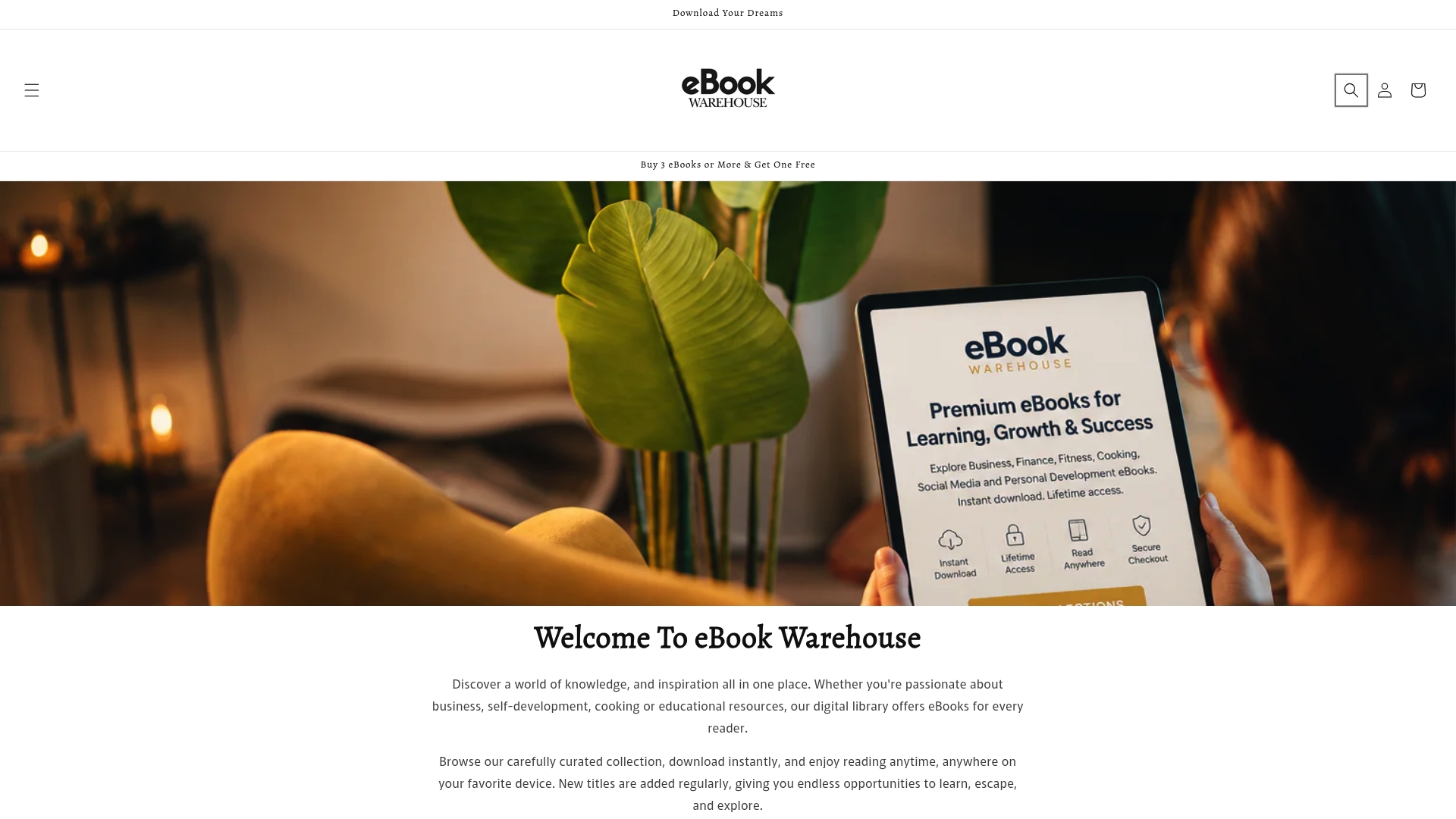
The catalog spans personal development, business strategy, cooking, health, and more — including titles like The Art of Positive Thinking and the Home Business Handbook. Whether you’re on a phone, tablet, or laptop, your purchase works immediately after download. Browse the full collection at Ebook-warehouse and start reading today on whatever device you already own.