

Best Ebook Stores: Top Picks for Buying Ebooks
The best ebook stores for most readers come down to five clear picks: the Amazon Kindle Store for sheer catalog size, Ebook-warehouse for DRM-free PDF downloads you can read on any device, Scribd for subscription readers who devour books monthly, Bookshop.org for supporting independent bookstores, and ThriftBooks for bargain hunters after deep discounts on older titles.
Here is the shortlist at a glance:
- Best overall catalog: Amazon Kindle Store — millions of titles, instant delivery, strong app ecosystem
- Best DRM-free PDF buying: Ebook-warehouse — curated downloadable PDFs in personal development, business, cooking, and more; no proprietary app required
- Best subscription: Scribd — flat monthly fee, broad catalog including audiobooks and magazines
- Best for supporting indie bookstores: Bookshop.org — purchases route revenue to independent booksellers
- Best bargain/used: ThriftBooks — heavily discounted physical and digital titles
- Best for Apple users: Apple Books — native iOS/macOS integration, clean reading experience
- Best library borrowing: OverDrive/Libby — free ebook loans with a public library card
Three trust signals worth checking at any store before you buy: a clearly stated DRM policy, documented device and app compatibility, and a transparent refund or return window.
Table of Contents
- How do the best ebook stores compare side by side?
- What each store type is actually best at
- How do you pick the right ebook store for your needs?
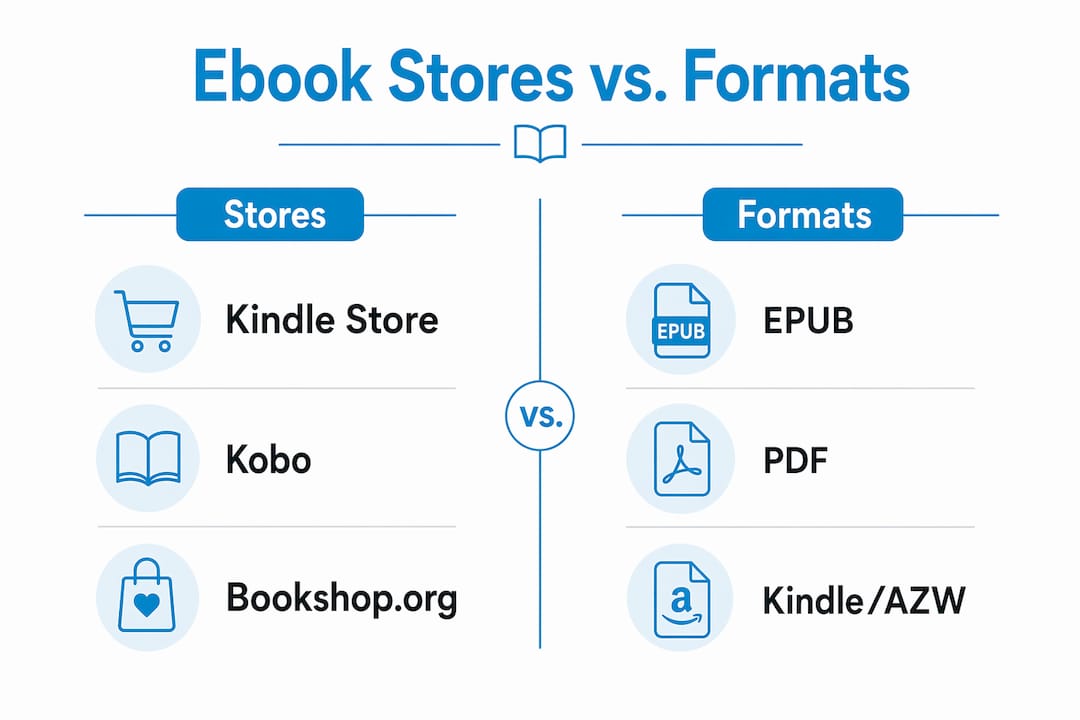
- What do EPUB, PDF, and Kindle formats actually mean for you?
- When does a subscription or library card beat buying?
- Which store should you actually choose?
- What payment methods do ebook stores accept?
- How good is customer support at major ebook stores?
- Do geo-restrictions affect where you can buy ebooks?
- Key Takeaways
- The ebook store market is more fragmented than it looks
- Ebook-warehouse: curated DRM-free PDFs worth knowing about
- Where to learn more: official docs and reliable sources
How do the best ebook stores compare side by side?
| Store / Category | Best for | Price model | Formats | DRM | Device & app compatibility | Catalog breadth | Indie support | Refund / library |
|---|---|---|---|---|---|---|---|---|
| Ebook-warehouse | DRM-free multi-device PDF buying | Per-book; occasional bundle deals | DRM-free | Any device with a PDF reader; iOS, Android, desktop | Curated niche catalog | Publisher-direct | Not publicly listed; check site | |
| Mass-market retailers (e.g., Kindle Store, Google Play Books) | Largest catalog, new releases | Per-book + subscription options | EPUB, Kindle/AZW, PDF | Vendor DRM (Kindle FairPlay / Google) | Vendor apps on iOS, Android, Kindle hardware, desktop | Millions of titles | Limited | Varies by platform |
| Device-specific stores (e.g., Nook, Kobo) | Readers locked into one hardware brand | Per-book | EPUB, PDF | Adobe DRM or vendor DRM | Tied to brand hardware + companion app | Large, brand-curated | Moderate | Store credit or limited refund |
| Subscription services (e.g., Scribd, Kindle Unlimited) | Heavy readers, flat monthly cost | Monthly subscription | EPUB, Kindle/AZW | Vendor DRM | Vendor apps; no file download | Rotating catalog; not all titles | Limited | Cancel anytime; no per-book refund |
| Specialized/indie stores (e.g., Bookshop.org, eBooks.com, Smashwords) | Niche titles, indie author support | Per-book | EPUB, PDF, sometimes MOBI | DRM-free or Adobe DRM | Broad app support (Adobe DE, Aldiko, etc.) | Curated; smaller than mass-market | Strong | Varies by store |
| Used & discount marketplaces (e.g., ThriftBooks, AbeBooks, Book Outlet) | Bargain hunters, out-of-print titles | Discounted per-book | Varies; often physical | Varies | Varies | Wide used stock; inconsistent digital | Minimal | Limited |
| Library lending (OverDrive/Libby) | Free borrowing with a library card | Free (library card required) | EPUB, PDF, MP3 | Adobe DRM (time-limited) | Libby app on iOS, Android, Kindle | Library-licensed titles | N/A | Borrow window expires automatically |
Notes: Kindle/AZW files work only inside Amazon’s ecosystem. Adobe DRM titles require Adobe Digital Editions or a compatible app. DRM-free PDFs from Ebook-warehouse open in any standard reader, including free apps like Google Drive, Apple Books, or Adobe Acrobat.
What each store type is actually best at
Ebook-warehouse
Ebook-warehouse sells downloadable PDF ebooks directly to consumers, with a catalog focused on personal development, business, cooking, health and wellness, content creation, and spirituality. Every file is DRM-free, which means you download it once and read it on your phone, tablet, laptop, or desktop without installing a proprietary app. That portability is the core reason to choose it over a platform that ties your library to a single vendor.
Pros:
- DRM-free PDF files work on any device with a standard reader
- Curated niche catalog with titles you won’t find on mass-market platforms
- Direct-to-consumer model; no subscription or account lock-in
- Occasional buy-three-get-one-free promotions
Cons:
- Catalog is smaller than mass-market stores
- Focused on specific categories; not a general-purpose bookstore
Mass-market retailers (Kindle Store, Google Play Books, Books-A-Million)
These platforms carry millions of titles and dominate new-release availability. The catalog breadth is unmatched, and discovery tools (recommendations, bestseller lists, user reviews) are mature. The tradeoff is vendor DRM: your Kindle purchases live inside Amazon’s ecosystem, and Google Play titles require the Google Play Books app.
Pros:
- Enormous selection including day-one new releases
- Polished reading apps on every major platform
- Frequent sales and price matching
Cons:
- Vendor DRM restricts file portability
- Switching ecosystems means losing access to your library
Device-specific stores (Nook, Kobo)
Barnes & Noble’s Nook and Rakuten Kobo both run tightly integrated store-plus-hardware ecosystems. Kobo in particular is popular with readers who want an alternative to Kindle hardware; it supports EPUB natively and integrates with OverDrive for library borrowing. WHSmith and Blackwell’s in the UK also sell Kobo-compatible titles, though their primary market is outside the US.
Pros:
- Smooth syncing between store, app, and dedicated e-reader hardware
- Kobo supports EPUB and has strong library integration
- Nook offers a large catalog with frequent B&N member discounts
Cons:
- Files are tied to the brand’s DRM system
- Switching devices means re-purchasing or losing access
Subscription services (Scribd, Kindle Unlimited)
Scribd charges a flat monthly fee for access to a broad catalog of ebooks, audiobooks, magazines, and sheet music. Kindle Unlimited gives access to a rotating selection of Amazon-enrolled titles. Neither service lets you keep files after canceling. For readers who finish two or more books a month, the math usually favors a subscription over per-book buying.
Pros:
- Cost-effective for high-volume readers
- Scribd’s catalog includes non-fiction, romance, and business titles
Cons:
- Not all titles are included; major bestsellers often excluded
- No permanent file ownership
Specialized and indie stores (Bookshop.org, eBooks.com, Smashwords, Harlequin, BookBub)
Editorial curation and indie support are the main reasons to shop here. Bookshop.org routes a portion of every sale to independent bookstores. Smashwords (now part of Draft2Digital) is a major distribution hub for self-published authors and often sells DRM-free EPUB files directly. Harlequin’s own storefront (eHarlequin.com) is the go-to for romance readers who want the full backcatalog. BookBub is less a store than a deal-alert service, but it surfaces steep discounts across multiple retailers daily.
Pros:
- Better niche coverage and author-direct purchasing
- Often DRM-free or flexible format options
- Bookshop.org directly funds independent booksellers
Cons:
- Smaller catalogs than mass-market platforms
- Discovery tools less developed
Used and discount marketplaces (ThriftBooks, AbeBooks, Book Outlet)
ThriftBooks and AbeBooks focus primarily on physical used books, though both carry some digital titles. Book Outlet sells remaindered print books at steep discounts. For digital-only buyers, these platforms are less relevant, but for readers who mix print and digital, they fill a real gap for out-of-print or budget titles.
Pros:
- Very low prices on older and out-of-print titles
- AbeBooks is strong for rare and collectible editions
Cons:
- Digital selection is inconsistent
- DRM and format policies vary widely
Library lending (OverDrive/Libby, Open Library)
OverDrive powers most US public library ebook lending through the Libby app. You borrow with a library card, read within the app or on a Kindle (via Amazon’s library integration), and the file expires automatically. Open Library extends this model with controlled digital lending for a broader catalog, including older titles not available through standard library licenses. Both are free.
How do you pick the right ebook store for your needs?
Work through these questions in order and you’ll land on the right store quickly:
- What device do you read on? If you own a Kindle, the Kindle Store is the path of least resistance. Kobo hardware users should start at Kobo’s store. Everyone else has full flexibility.
- Do you care about file ownership? If you want a file you can back up, share across devices, and keep forever, look for DRM-free stores. Ebook-warehouse and Smashwords both sell DRM-free files.
- How many books do you read per month? Two or more books a month usually makes a subscription cheaper than per-book buying. One or fewer, and per-book purchasing wins.
- Do you want to support independent bookstores? Bookshop.org is the clearest choice here.
- Are you on a tight budget? ThriftBooks and BookBub deal alerts are your best tools. Library lending through Libby costs nothing beyond a library card.
- Do you need niche or professional titles? Specialized stores and publisher-direct shops like Ebook-warehouse often carry titles that mass-market platforms don’t stock.
Pro Tip: Before completing any purchase, scroll to the product page’s format and DRM section. If a store doesn’t list DRM status clearly, treat that as a red flag. A store that buries its refund policy is equally worth avoiding.
What do EPUB, PDF, and Kindle formats actually mean for you?
Three formats dominate the ebook market, and choosing the wrong one for your device is a frustrating mistake.
EPUB is the open standard. It reflows text to fit any screen size, works in most reading apps (Apple Books, Kobo, Adobe Digital Editions, Aldiko), and is the format independent stores most commonly sell. An ebook file format guide covers the technical differences in detail if you want to go deeper.
PDF preserves the original page layout exactly, which makes it ideal for illustrated books, cookbooks, workbooks, and professional reference material. PDFs don’t reflow, so they can be awkward on small phone screens, but on a tablet or laptop they’re excellent. Ebook-warehouse sells exclusively in PDF, which is a deliberate choice for its catalog of practical, layout-dependent titles.
Kindle/AZW (and the older MOBI format) are Amazon’s proprietary formats. They work only inside Amazon’s apps and hardware. MOBI is largely deprecated; AZW3 is the current standard. If you buy a Kindle-format file, you cannot read it in Apple Books, Kobo, or any non-Amazon app without conversion.
DRM in ebooks is the layer that enforces these restrictions. Vendor DRM (Amazon’s or Apple’s) ties a file to that company’s ecosystem. Adobe DRM ties a file to an Adobe ID, which at least works across multiple apps. DRM-free files have no restrictions at all.
- Vendor DRM: file locked to one company’s app or device
- Adobe DRM: file works in any Adobe-authorized app (Kobo, Adobe Digital Editions, some library apps)
- DRM-free: read anywhere, back up freely, no expiration
Non-mass-market stores frequently offer better format flexibility and DRM-free options than the major platforms.
Pro Tip: Download a backup copy of every DRM-free PDF you purchase and store it in a cloud folder (Google Drive, Dropbox, iCloud). Unlike DRM-protected files, your PDF won’t disappear if a store closes or changes its terms.
When does a subscription or library card beat buying?
Subscriptions and library lending solve a specific problem: the cost of reading a lot. They’re not the right answer for every reader.
A subscription like Scribd makes financial sense when you read frequently and aren’t attached to owning the files. The catalog is broad, but it’s not complete. Major new releases from the Big Five publishers are often excluded or available only for a limited time. If your reading list is mostly backlist titles, literary fiction, or nonfiction, a subscription covers most of it. If you chase day-one releases, you’ll still need to buy those separately.
Library borrowing through OverDrive/Libby is the most underused option in the US. Most public libraries offer free ebook lending through Libby, and the catalog has grown substantially. Titles arrive with Adobe DRM and a borrowing window (typically two or three weeks), after which the file expires automatically. You can also send Libby loans to a Kindle via Amazon’s library integration. Open Library adds controlled digital lending for millions of additional titles, particularly older and out-of-print books.
When to buy instead:
- You want permanent file ownership
- The title isn’t available in your library or on your subscription service
- You’re buying a reference book you’ll return to repeatedly
- You want a DRM-free file you can annotate and back up
Which store should you actually choose?
Match your profile to the recommendation:
- Casual fiction reader: Kindle Store or Nook for the catalog depth; Scribd if you read more than two books a month.
- Nonfiction learner or professional: Ebook-warehouse for DRM-free PDFs in business, personal development, and practical skills. Files work on any device, no app lock-in.
- Bargain hunter: ThriftBooks for used print, BookBub alerts for daily ebook deals across multiple stores.
- Indie author supporter: Bookshop.org routes revenue to independent booksellers; Smashwords/Draft2Digital for author-direct purchases.
- Multi-device reader who hates vendor lock-in: Ebook-warehouse (PDF, any device) or Smashwords (EPUB, DRM-free). Both let you read on your phone, tablet, and laptop without managing multiple app libraries.
- Free access seeker: Libby/OverDrive with a library card, or Project Gutenberg for public-domain classics (over 77,000 free titles, no registration required).
If you’re choosing a mass-market or subscription platform, confirm two things first: whether the titles you actually want are included in the subscription catalog, and whether the DRM type matches your device setup. Those two checks prevent most buyer’s remorse.
What payment methods do ebook stores accept?
Most major ebook stores accept Visa, Mastercard, American Express, and PayPal. Amazon adds its own gift card balance and the option to charge purchases to an Amazon store card. Apple Books charges through your Apple ID, which can be funded with Apple gift cards, credit cards, or Apple Cash. Google Play Books accepts Google Play gift cards alongside standard credit and debit cards.
Kobo accepts PayPal and major credit cards, and also sells Kobo gift cards redeemable in-store. Bookshop.org and eBooks.com both accept standard credit cards and PayPal. Ebook-warehouse processes payments through Shopify’s checkout, which supports major credit cards and PayPal.
One practical note: some stores require a billing address that matches your card’s registered country, which can cause friction for US buyers using international cards or vice versa.
How good is customer support at major ebook stores?
Amazon’s Kindle support is available 24/7 via chat, phone, and email, and it’s generally fast for billing and access issues. Apple Books support runs through Apple’s broader support infrastructure, which is responsive but routes through the App Store team for purchase disputes. Google Play Books support is primarily ticket-based and slower than Amazon’s.
Kobo offers email and live chat support with reasonable response times. Bookshop.org has a small but responsive support team; response times can stretch to a business day during peak periods. Scribd handles most issues through a help center and email tickets.
Smaller stores like Ebook-warehouse and eBooks.com typically offer email-based support. For a publisher-direct store, that’s standard. The key question to ask before buying from any smaller store is whether they have a clear contact page and a stated response window.
Do geo-restrictions affect where you can buy ebooks?
Yes, and this catches readers off guard more often than it should. Publisher licensing agreements are territorial, which means a title available in the US Kindle Store may be unavailable in the UK version, and vice versa. The same applies to Kobo, Google Play Books, and Apple Books.
Subscription catalogs are also geo-restricted. Scribd’s available titles differ by country. Kindle Unlimited’s catalog varies by region. Library lending through OverDrive is tied to your local library system, so what’s available depends entirely on what your library has licensed.
DRM-free stores like Ebook-warehouse and Smashwords generally have fewer geo-restrictions because they’re not bound by the same territorial licensing structures as the major platforms. Kindle alternatives that operate outside the major ecosystems often sidestep these restrictions entirely. If you’re a US reader buying from a US-based store, you’ll rarely hit a wall, but it’s worth checking availability before you set up an account on an international platform.
Key Takeaways
The best ebook store depends on your device, DRM tolerance, and reading volume — there is no single right answer, but there is a right answer for your situation, especially if you want to enhance your skills through a specialized course like the Autodesk Revit Online Training Course that complements your reading resources.
| Point | Details |
|---|---|
| Match store to device first | Kindle hardware users default to the Kindle Store; everyone else has full flexibility to choose by format and price. |
| DRM determines portability | Vendor DRM locks files to one ecosystem; DRM-free PDFs or EPUBs work on any device without a proprietary app. |
| Subscriptions suit heavy readers | Scribd and Kindle Unlimited make financial sense only if you read two or more books per month. |
| Library lending is free | OverDrive/Libby provides free ebook loans with a public library card; Project Gutenberg offers over 77,000 public-domain titles at no cost. |
| Ebook-warehouse for DRM-free PDFs | Ebook-warehouse is the recommended pick for readers who want downloadable, DRM-free PDFs in personal development, business, cooking, and related categories. |
The ebook store market is more fragmented than it looks
The conventional wisdom says “just use Amazon.” For raw catalog size, that’s defensible. But the advice breaks down the moment you care about what happens to your library if Amazon changes its terms, or if you want to read on a device that isn’t Kindle-friendly, or if you’re buying a cookbook that needs to look exactly right on a tablet screen.
The market has genuinely split into two tracks: global platforms that prioritize volume and device integration, and curated stores that prioritize format flexibility and DRM-free options. Neither track is wrong. But most readers default to the first track without ever checking whether the second track fits them better.
The readers who get the most out of their ebook purchases are the ones who check DRM status before buying, keep backups of their DRM-free files, and use library lending for anything they’re not sure they’ll want to keep. That combination costs almost nothing and gives you far more flexibility than staying inside one vendor’s walled garden. Check return policies before you buy anywhere. A store that won’t tell you its refund terms upfront is telling you something important.
Ebook-warehouse: curated DRM-free PDFs worth knowing about
If you’ve been buying ebooks through a major platform and finding that the files don’t travel well between your devices, Ebook-warehouse is worth a direct look. Every title is a downloadable PDF with no DRM, which means you buy it once and read it anywhere: your phone, tablet, laptop, or desktop, using any standard PDF reader.
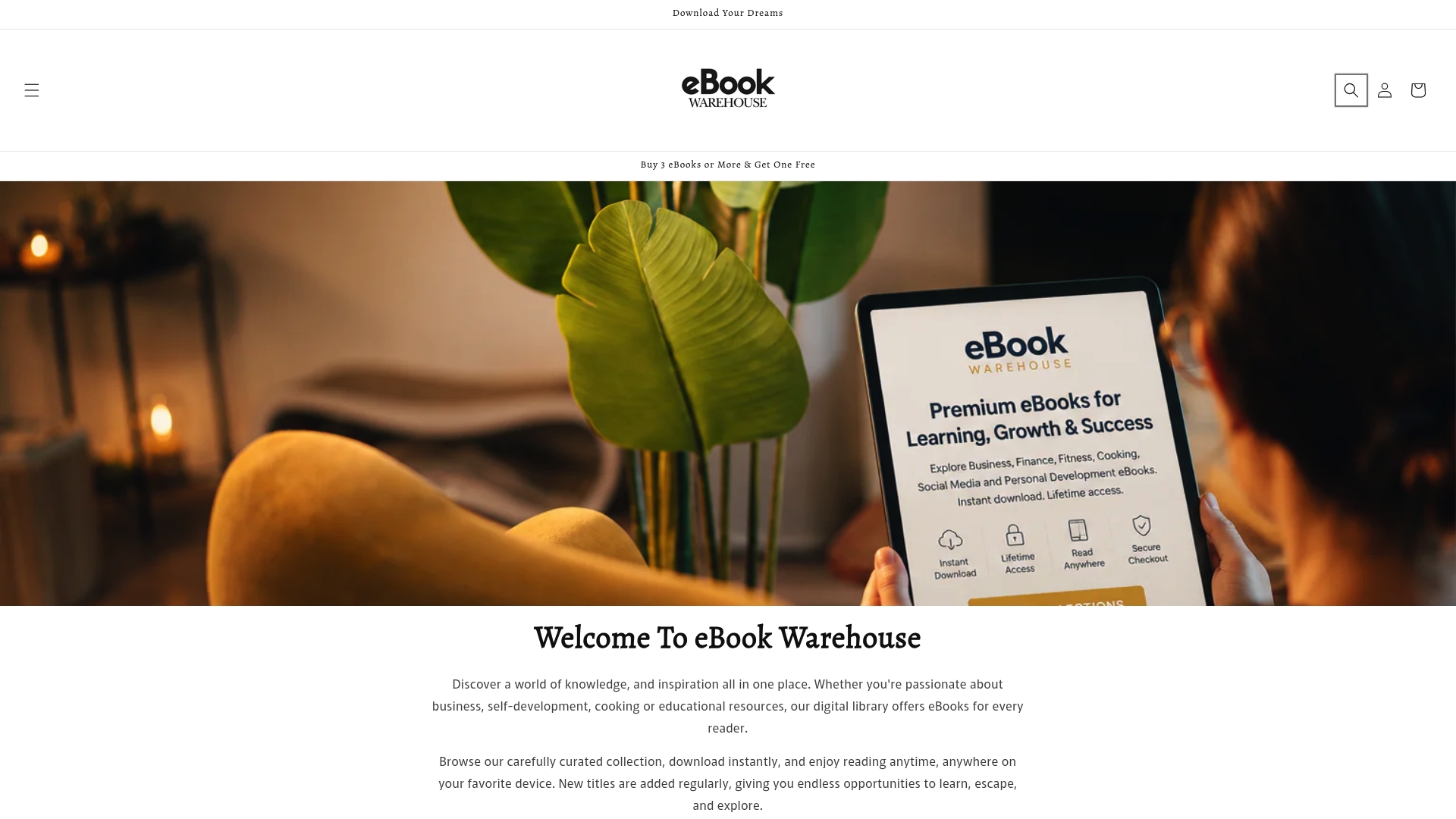
The catalog covers personal development, business, cooking, health and wellness, content creation, and spirituality, with titles like Maximise Your Earnings, Empower Your Personal Finance, and a Personal Productivity guide. Occasional buy-three-get-one-free promotions make the per-book price even sharper. Browse the full catalog at Ebook-warehouse and check the product pages for current pricing and any active promotions.
Where to learn more: official docs and reliable sources
- Project Gutenberg — Over 77,000 free public-domain ebooks in multiple formats, no account required. The starting point for classic literature and historical texts.
- OverDrive / Libby — The platform behind most US public library ebook lending. Check whether your library is connected before setting up an account.
- Open Library — Controlled digital lending for millions of titles, including out-of-print books not available through standard library catalogs.
- MakeUseOf ebook store roundup — Practical comparison of major and alternative stores with notes on format flexibility and DRM tradeoffs.
- Good e-Reader store guide — Differentiates global platforms from specialized stores; useful for understanding catalog and hardware ties.
- Ebook-warehouse format guide — Practical breakdown of EPUB vs PDF vs Kindle formats for readers choosing between stores.
- PDF vs EPUB comparison — Detailed guide on when each format works best for different reading contexts.
Always check a retailer’s own product pages for the most current DRM status and refund policies, as these terms change and third-party roundups (including this one) may not reflect the latest updates.