

How to Gift an Ebook on Any Platform in 2026
Yes, you can gift an ebook. Most major US stores let you send a title directly to a recipient’s email, and the ones that don’t have reliable workarounds. The recipient gets a redemption link or code, clicks it, signs into their account, and the book lands in their library.
The three fastest methods:
- Store gift option: Buy directly from Amazon Kindle, Barnes & Noble, or Google Play Books using the “Gift this ebook” button at checkout.
- Gift card or voucher: Purchase a store gift card (digital or physical) and let the recipient choose their own title.
- DRM-free file or PDF: Buy from an indie author, a small publisher, or a store like Ebook-warehouse and email the download link or file directly.
Pro Tip: If you’re not sure which device your recipient uses, a PDF from a store like Ebook-warehouse is the safest bet. PDFs open on phones, tablets, laptops, and e-readers without any app lock-in.
Key Takeaways
Gifting an ebook works on most major US platforms, and when it doesn’t, a PDF from a DRM-free store like Ebook-warehouse is the most device-friendly fallback.
| Point | Details |
|---|---|
| Most stores support gifting | Amazon Kindle, Apple Books, Google Play Books, and Barnes & Noble all offer direct ebook gifting in the US. |
| Region and account limits apply | The recipient’s store account must match the purchase country; mismatches require a gift card or DRM-free workaround. |
| PDF is the safest format | PDFs open on any device without a dedicated app, making them the most reliable choice for recipients whose setup you don’t know. |
| Personalization increases impact | Adding a specific message and pairing the digital gift with a small physical item makes it feel intentional, not generic. |
| Ebook-warehouse | Sells downloadable PDFs across personal development, cooking, finance, and more; buy, receive the link, and forward it to your recipient. |
Table of Contents
- How does ebook gifting actually work?
- How to gift an ebook on Amazon Kindle
- How to buy and send a gift voucher on eBooks.com
- What about Apple Books, Google Play, Barnes & Noble, and Kobo?
- What to do when the store won’t let you gift that title
- How the recipient redeems an ebook gift
- DRM, file formats, and device compatibility
- How to gift an eBook from Ebook-warehouse
- Ebook-warehouse makes gifting simple and device-friendly
- Sources
How does ebook gifting actually work?
The mechanics vary by store, but the core flow is consistent across platforms. You buy the title, designate a recipient email, and the store sends a redemption link or unique code. The recipient clicks the link, signs in or creates an account, and the book is added to their library. Some stores let you schedule delivery for a future date; others send immediately.
A few things to know before you pick a store:
- DRM (Digital Rights Management) ties most purchased ebooks to a specific platform. A Kindle book stays in the Kindle ecosystem; it won’t open in Apple Books or Kobo. If your recipient reads on multiple devices, this matters.
- Region restrictions are real. Many stores require the buyer and recipient to be in the same country. A US-purchased Kindle gift won’t redeem on a UK Amazon account.
- Account prerequisites vary. Barnes & Noble requires the recipient to have a NOOK account. Google Play Books requires a Google account. Some stores require a saved payment method before a gift can be redeemed.
- Scheduled delivery is available on Amazon and some other stores. If a store doesn’t offer it, you can enter your own email at checkout and forward the gift email to the recipient on the date you want.
Pro Tip: Entering your own email as the recipient and forwarding the store’s gift email on the intended date is the most reliable way to control timing across any platform, and it lets you preview exactly what your recipient will see.
Ebook reading has grown steadily since Pew Research documented a sustained rise in ebook adoption as print reading declined, which means the person you’re gifting almost certainly already has a way to read digitally. The question is which ecosystem they’re in.
How to gift an ebook on Amazon Kindle
Kindle is the most-searched platform for ebook gifting, and the process is straightforward once you know where to look.
Steps to send a Kindle gift:
- Go to the ebook’s product page on Amazon.com.
- Click “Buy for others” (sometimes labeled “Give as a gift”) below the main “Buy now” button.
- Enter the recipient’s email address.
- Add an optional personal message.
- Choose a delivery date: send immediately or schedule for a future date.
- Complete the purchase with your payment method.
The recipient gets an email with a “Redeem your gift” button. They click it, sign in to their Amazon account (or create one), and the book is added to their Kindle library. It syncs automatically to any Kindle device or the free Kindle app on iOS, Android, or PC.
Common problems and fixes:
- Email went to spam: Ask the recipient to check their spam or promotions folder. The sender email is usually from amazon.com.
- Recipient already owns the book: Amazon blocks gifting a title someone already purchased. You’ll need to choose a different title or send an Amazon gift card instead.
- Region mismatch: The recipient must have a US Amazon account to redeem a gift purchased on Amazon.com. International recipients need a workaround (see Section 5).
- Duplicate purchase restriction: Amazon won’t let you gift a title you already own to yourself for testing. Use a secondary email address instead.
Pro Tip: Before you send, enter your own email as the recipient to preview the gift email. Once you confirm it looks right, you can forward it to the actual recipient on the day you want them to receive it.
How to buy and send a gift voucher on eBooks.com
eBooks.com handles gifting through a voucher system rather than direct title gifting, which gives the recipient more flexibility to choose what they want.
Steps to purchase an eBooks.com gift voucher:
- Go to eBooks.com and navigate to the Gift Vouchers section (usually found in the account menu or site footer).
- Select a voucher amount.
- Enter the recipient’s email address and your personal message.
- Choose the delivery date (immediate or scheduled).
- Complete payment. The voucher is emailed to the recipient as a code.
The recipient enters the code at checkout on eBooks.com and the credit is applied to their account. They can use it toward any title in the store’s catalog.
How eBooks.com vouchers differ from Kindle gifting:
- eBooks.com sends a voucher code the recipient applies at checkout; Kindle sends a link that adds a specific title directly to the library.
- The recipient on eBooks.com can choose any title; a Kindle gift is locked to the title you selected.
- eBooks.com supports EPUB and PDF formats depending on the title; Kindle gifts are always in Kindle format (AZW/KF8).
- eBooks.com does not require the recipient to have a specific device or app ecosystem.
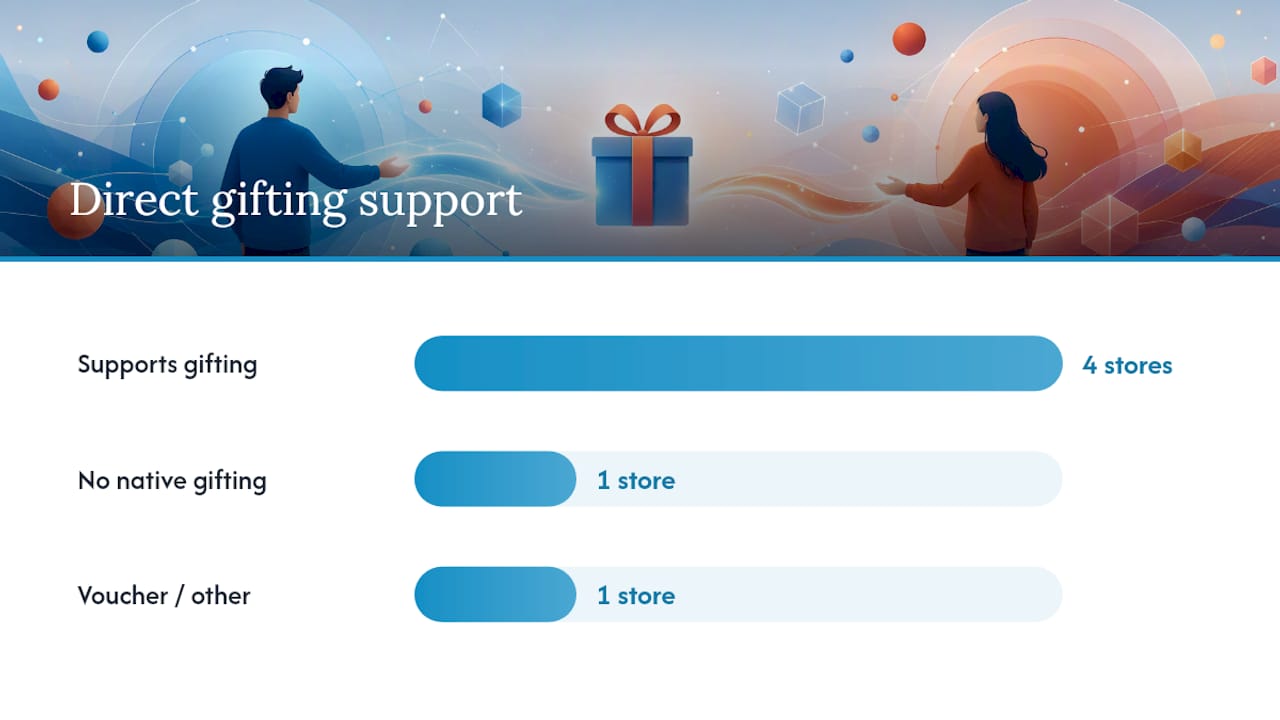
What about Apple Books, Google Play, Barnes & Noble, and Kobo?
Direct gifting support varies widely across these stores. Here’s the short version, plus the most practical workaround for each.
Apple Books supports direct ebook gifting in the US. On a product page, tap the share icon and select “Gift.” The recipient gets an email with a redemption link that adds the book to their Apple Books library. The recipient must have an Apple ID.
Google Play Books supports gifting in select countries, including the US. On the book’s page, click “Give as a gift,” enter the recipient’s email, and Google sends a redemption code. Google confirms the buyer also receives a copy of the gift email, which you can forward on a specific date if you want to control timing.
Barnes & Noble (NOOK) supports direct ebook gifting. On the product page, select “Give as a gift,” enter the recipient’s email, and B&N sends a redemption link. Barnes & Noble’s help page notes the recipient needs a NOOK account and may need a saved payment method to complete redemption.
Kobo does not offer a native “gift this ebook” button in the US store. The standard workaround is a Kobo gift card, which the recipient can apply to any purchase.
| Store | Direct gifting? | Best workaround |
|---|---|---|
| Amazon Kindle | Yes | Gift card if title is unavailable |
| Apple Books | Yes | Apple gift card |
| Google Play Books | Yes (US) | Forward your copy of the gift email |
| Barnes & Noble (NOOK) | Yes | NOOK gift card |
| Kobo | No | Kobo gift card |
| eBooks.com | Voucher system | Gift voucher (any title) |
For stores that don’t support gifting at all, indie bookstores through IndieBound are worth checking. Some indie stores offer their own gift options and let you support local booksellers at the same time.
What to do when the store won’t let you gift that title
Some titles have gifting disabled by the publisher. Others are region-locked. When the standard route is blocked, these alternatives work reliably.
- Store gift cards: The most flexible fallback. Buy a digital gift card from the recipient’s preferred store and let them pick their own title. No format worries, no region issues.
- DRM-free files from indie authors or small publishers: Many authors sell directly through their own sites, often built on platforms like WordPress storefronts, and deliver a PDF or EPUB with no platform lock. You buy it, download it, and email the file or a download link to the recipient. Check the license first to confirm personal sharing is permitted.
- PDF from a curated store: Stores like Ebook-warehouse sell downloadable PDFs you can purchase and share with the recipient via email. PDFs work on virtually any device without a dedicated app.
- Pair the digital gift with something physical: A handwritten note, a bookmark, or a small item related to the book’s topic makes a digital gift feel more tangible. Research on digital gifting consistently points to personalization and pairing as the factors that increase emotional impact.
Pro Tip: For bulk gifting at events or for a team, vendors like Amazon KDP often supply unique redemption links per copy rather than a single code. Unredeemed copies may be refundable depending on the platform, so always confirm the refund policy before buying in volume.
How the recipient redeems an ebook gift
Walk your recipient through these steps if they’re not sure what to do with the email they received.
- Find the gift email. Check the inbox first, then spam or promotions. The sender is usually the store (amazon.com, books.apple.com, play.google.com, barnesandnoble.com).
- Click the redemption link or button. It’s usually labeled “Redeem your gift” or “Accept gift.”
- Sign in or create an account. The account must match the store’s country requirement.
- Confirm the book is added to the library. On Kindle, it appears in “Your Library.” On Apple Books, it shows in the Books app. On NOOK, it appears in the NOOK library.
- Sync devices. Open the app on the recipient’s phone, tablet, or e-reader and let it sync. The book should appear within a minute.
Quick fixes for common problems:
- Email is missing: Check spam. If it’s not there, the sender can log into their store account and resend or forward their own copy of the gift confirmation.
- Book already owned: Most stores won’t let a recipient redeem a title they already purchased. Contact the store’s customer support for a refund or credit.
- Country mismatch: The recipient’s account country must match the store where the gift was purchased. This usually can’t be changed without contacting support. The cleanest fix is switching to a gift card or a DRM-free file instead.
- When to contact support vs. resend: If the email is missing or the code is expired, the sender can usually resend from their account. If the recipient gets an error during redemption, that’s a store-side issue and requires retailer support.
DRM, file formats, and device compatibility
Buying the wrong format is the most avoidable gifting mistake. Here’s what you need to know before you purchase.
Common formats and where they work:
- EPUB: The standard open format. Works on Apple Books, Kobo, Google Play Books, NOOK, and most reading apps. Does not work natively on Kindle without conversion.
- AZW / KF8 / MOBI: Amazon’s proprietary formats. Work only on Kindle devices and the Kindle app.
- PDF: Works on virtually every device and app, including phones, tablets, laptops, and e-readers. No special app required.
DRM implications:
DRM-protected files are locked to the platform that sold them. A DRM-protected EPUB from one store won’t open in another store’s app, even though both use the EPUB format. DRM-free files have no such restriction and can be read on any compatible app or device.
For a full breakdown of formats and reader app compatibility, the ebook file formats guide on Ebook-warehouse covers the practical differences clearly.
Before you buy a gift, check:
- What device or app does the recipient use most? (Kindle app, Apple Books, Kobo, a generic PDF reader?)
- Does the store you’re buying from sell in that format?
- Is the file DRM-protected or DRM-free?
- If you’re unsure, a PDF from a DRM-free store is the safest choice.
| Format | Works on | DRM risk |
|---|---|---|
| EPUB | Apple Books, Kobo, NOOK, Google Play, most apps | High if store-locked |
| AZW / KF8 | Kindle devices and Kindle app only | Always locked |
| Any device, any app | Low; often DRM-free |
How to gift an eBook from Ebook-warehouse
Ebook-warehouse sells downloadable PDFs directly, which sidesteps most of the platform-lock and region-restriction problems described above.
Steps to gift a title from Ebook-warehouse:
- Browse the catalog at ebook-warehouse.com and select a title. Categories include personal development, cooking, business, finance, health, and social media.
- Add the title to your cart and proceed to checkout.
- At checkout, enter your own email address to receive the download link.
- Complete the purchase. You’ll receive an email with the download link immediately.
- Forward that email to your recipient on the date you want them to receive it. Include a personal message in the forwarded email.
That’s it. The recipient clicks the link, downloads the PDF, and opens it on any device they already use.
Why this works well as a gift:
- PDFs open on iPhones, Android phones, tablets, Kindles (via email or USB), laptops, and desktops without any dedicated app.
- No account creation required for the recipient.
- No region restrictions.
- Titles span categories that make strong gifts: personal finance, personal productivity, cooking, wellness, and business skills.
- Ebook-warehouse’s curated selection includes both popular titles and niche subjects, so you can find something specific to the recipient’s interests rather than defaulting to a bestseller.
For gift ideas in the personal development space, the best self-help ebooks collection is a good starting point.
Pro Tip: Pair the forwarded download email with a short personal note explaining why you chose that specific title. A sentence or two about why you thought of them when you saw it turns a file attachment into something that actually feels like a gift.
A note on making digital gifts feel personal
The biggest complaint about ebook gifts is that they feel impersonal. A link in an email doesn’t have the weight of a wrapped book. But the fix isn’t complicated.
The stores that let you add a personal message at checkout are worth using that feature on. Write something specific to the recipient, not a generic “enjoy this book.” If you’re forwarding a download link from Ebook-warehouse, write the note in the email body itself. And if the occasion warrants it, pair the digital gift with something small and physical: a bookmark, a coffee gift card to read with, or even a handwritten card mailed separately.

The format of a gift matters less than the thought behind it. A PDF of a cooking book sent with a note that says “I thought of you when I saw this because you’ve been talking about learning to make soup” lands better than a Kindle gift of a bestseller with no message.
Ebook-warehouse makes gifting simple and device-friendly
Most gifting headaches come from platform lock-in: the wrong format, the wrong country, the wrong app. Ebook-warehouse cuts through that by selling downloadable PDFs that work on any device, with no account required on the recipient’s end.
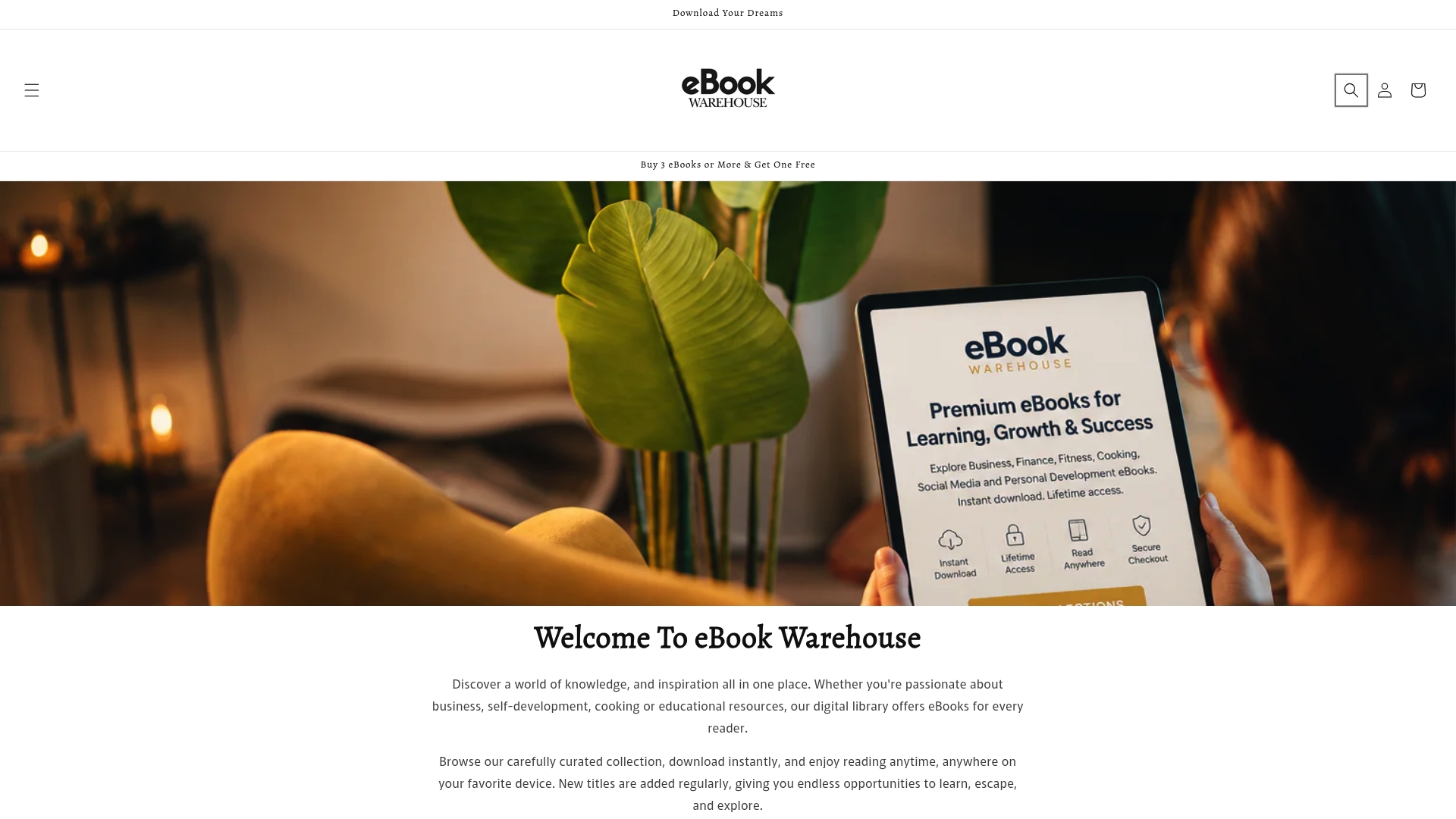
Browse titles across personal development, cooking, finance, wellness, and business. Buy the one that fits your recipient, receive the download link instantly, and forward it with a personal note on the day you want them to have it. No scheduling tools, no region checks, no app downloads.
For a professional gift, Maximize Your Earnings is a strong pick. For a food lover, the top cooking books collection has options across cuisines and skill levels. For someone working on their mindset, The Art of Positive Thinking is a popular choice.
Head to Ebook-warehouse to browse the full catalog and pick a title worth giving.
Sources
When you hit an edge case or need to confirm a store’s current policy, go straight to the source:
- Indiebound
- Libraries
- How to Gift an Ebook | 6 Easy Steps (2026)
- The Ultimate Kindle Book Present: Perfect Gift Ideas for Every Reader