

Ecommerce Ebooks: How to Buy the Right File Every Time
Here, “ecommerce ebooks” means the downloadable fiction and non-fiction titles you buy from an online retailer, not printed books mailed to your door. Before you pay for anything, run three checks: file format, DRM status, and whether your device or app actually opens that format. Skip these and you risk paying for a file you can’t read comfortably, or at all.
Run through this before checkout:
- Format: Want to adjust text size and read on a phone or tablet? Pick EPUB. Buying a cookbook, workbook, or anything with fixed page layouts? Pick PDF.
- Fixed layout or reflowable? If the pages need to look exactly the same on every screen, EPUB’s flexibility won’t help you.
- Download method: Confirm whether the platform gives you a direct file download or locks the book inside a proprietary app.
Key Takeaways
Choosing the right ecommerce ebook comes down to matching file format and DRM terms to how and where you actually plan to read.
| Point | Details |
|---|---|
| Check format before buying | EPUB suits reflowable text and note-taking; PDF suits recipes, workbooks, and illustrated layouts. |
| Confirm DRM terms | Look for device limits or app lock-in before checkout, not after. |
| Back up every purchase | Store a master copy in cloud storage like Google Drive or Dropbox immediately after download. |
| Match format to use case | Self-improvement and fiction favor EPUB; cooking and technical guides favor PDF. |
| Buy from a curated source | eBook Warehouse offers multi-device-ready PDF titles across personal development, business, and cooking categories. |
Table of Contents
- What Ecommerce Ebooks Formats Mean for Your Reading Experience
- From Checkout to Your Bookshelf: Buying and Downloading
- Keeping Your Library in Sync Across Devices
- Matching the Ebook to What You Actually Want to Do With It
- Spotting a Good Deal vs. a Waste of Money
- Protecting Your Files and Making Them Easier to Read
- Why eBook Warehouse Fits This Buying Checklist
- What Happens If You Need a Refund
- Fixing the Most Common Ebook Headaches
- Authoritative Resources to Learn More
- What Actually Matters When You’re Buying Ebooks
- Ready to Build Your Own Ebook Library?
- Sources
What Ecommerce Ebooks Formats Mean for Your Reading Experience
Format decides whether a book feels natural to read or fights you the whole way through. EPUB is the closest thing to an industry standard for reflowable text, meaning the words rearrange themselves to fit whatever screen you’re holding, and most reading apps support it. Bump the font size on a self-help title, and the paragraphs just reflow. No pinching, no zooming.
PDF works differently. It’s a fixed-layout file, which means the page looks identical no matter what you open it on. That’s exactly what you want for a cookbook with photos next to ingredient lists or a workbook with charts that need to stay put. It’s also why PDFs can feel cramped on a phone: the layout doesn’t adapt, so you end up zooming and scrolling sideways.
Pro Tip: If a book is heavy on illustrations, tables, or recipes, PDF or fixed-layout EPUB almost always beats standard EPUB, even though standard EPUB is more flexible everywhere else.

Kindle’s AZW and MOBI formats sit in their own walled garden. If a title is Kindle-only, you’re reading it in Amazon’s app or on Amazon hardware, period. That’s fine if you already live in that ecosystem; frustrating if you don’t.
Before you buy anywhere, scan for DRM red flags:
- Does the listing mention a “reader app required” instead of a plain download link?
- Can you view the file on more than one device without re-authenticating each time?
- Is there language about “loans” or “borrows” instead of ownership?
From Checkout to Your Bookshelf: Buying and Downloading
The typical purchase flow looks the same across most retailers: you buy the title, it lands in an online library or triggers a direct download, then you open it in a dedicated app or transfer it manually (often called sideloading) to your device of choice.
- Complete checkout and note the exact file format listed on the confirmation page.
- Download the file directly when the option exists, rather than only reading through a browser-based library.
- Move the file into your reading app, or sideload it if the app supports manual imports.
- Back the file up to cloud storage immediately, before you even open it.
That last step matters more than people think. Keeping a copy in Google Drive, Dropbox, or iCloud protects you if a store account gets locked, a subscription lapses, or an app disappears from your device entirely.
Pro Tip: Check the receipt against the actual file before you close the tab. Confirm it’s the edition you thought you bought and the format matches what you need. Fixing a mismatched format after the fact is far more annoying than catching it during checkout.
For a deeper breakdown of format tradeoffs before you commit to a purchase, this practical ebook file formats guide walks through device compatibility in more detail.
Keeping Your Library in Sync Across Devices
Store-managed books tend to sync automatically. Open a title on your phone, pick it back up on your tablet, and your reading position, bookmarks, and highlights usually carry over without you touching a setting. Google Play Books works this way, letting you buy titles, upload your own PDF or EPUB files, and download everything for offline reading.
Sideloaded files behave differently. Drop a PDF onto your tablet manually, and it usually stays exactly where you put it, with no automatic sync to your phone or laptop. You have to manage that yourself.
A few things make multi-device reading less of a headache:
- Test one title across every device you actually use before trusting a new app with your whole library.
- Pick a single app to be your “master” library rather than splitting titles across three different readers.
- Mark the handful of books you read most often for offline access, so a dead Wi-Fi signal doesn’t strand you mid-chapter.
Cross-platform readers like BookFusion support both EPUB and PDF with cloud sync and annotation export, which helps if you split your reading between a phone and a laptop. For app-specific comparisons, the best ebook reader apps roundup breaks down which options handle syncing best.
Matching the Ebook to What You Actually Want to Do With It
Not every book deserves the same format. Match the file type to what you’re actually trying to accomplish, and you’ll save yourself a lot of squinting.
- Self-improvement and study books: EPUB wins here almost every time. You want to highlight, adjust font size, and take notes without a rigid layout getting in the way.
- Cooking and illustrated books: PDF or fixed-layout EPUB keeps ingredient lists next to photos exactly where the author intended.
- Professional learning: Check whether supplemental worksheets or templates are included, and confirm you’re buying the current edition, since outdated business guidance ages fast.
- Fiction: EPUB almost always, unless you’re buying an illustrated or graphic edition.
Pro Tip: Bundles make sense when the titles build on each other, like a business fundamentals guide followed by an execution-focused sequel. A bundle of unrelated topics thrown together for a discount usually isn’t worth it just because the price looks good.
If you’re building out a professional learning path, a curated set like the project management ebook bundle shows how a themed pack can actually support a study sequence instead of just padding a cart.
Spotting a Good Deal vs. a Waste of Money
Discount pricing on ebooks usually falls into three buckets: single-title markdowns, buy-three-get-one-free style bundles, and themed collections built around a topic or skill.
None of that matters if you buy the wrong edition. Confirm you’re getting the current version of a professional or technical title, since older editions can carry outdated advice dressed up as a bargain.
Before you click purchase:
- Read the sample chapter if one’s offered. It tells you more about writing quality than any star rating.
- Check the return and receipt policy so you know your options if the file turns out to be unreadable.
- Note any DRM restrictions listed in the fine print, not just the price.
A self-help ebook picks list is a useful way to see how curated selections balance price against actual reading value, rather than chasing the deepest discount in isolation.
Protecting Your Files and Making Them Easier to Read
Once you own a file, protecting it becomes your job, not the store’s.
- Save a master copy in a cloud folder like Google Drive, Dropbox, or iCloud the moment you download it.
- Label multiple-format copies clearly. An EPUB and a PDF of the same title are two different working files, not duplicates you can casually delete.
- Check accessibility settings before you buy: adjustable font size, contrast controls, and a built-in dictionary make a real difference for long reading sessions.
Independent backups matter even when a platform offers its own cloud sync, since account issues or app shutdowns can cut off access without warning. Treat store sync as convenience, not your only safety net.
Why eBook Warehouse Fits This Buying Checklist
Every check outlined so far, format, DRM, device compatibility, comes standard when you shop a curated catalog instead of guessing across a dozen storefronts. eBook Warehouse builds its collection around exactly that: downloadable PDF titles across personal development, business, cooking, health, and niche subjects most retailers skip entirely.
A few examples of how that plays out:
- Readers working on communication skills or emotional regulation can go straight to a title like Developing Emotional Intelligence.
- Anyone tackling procrastination or time management has Personal Productivity as a direct, no-fluff option.
- Home cooks who need recipes with photos intact, not reflowed into a mess, benefit from the fixed-layout approach covered in the top cooking books collection.
Pro Tip: Multi-device access is baked into every purchase, so the sync questions raised earlier in this guide are already handled before you buy.
What Happens If You Need a Refund
Return policies for digital goods vary more than most readers expect, and that catches people off guard when a file turns out broken or mismatched.
Physical products get a straightforward return: box it up, ship it back, get your money. Ebooks don’t work that way, since there’s no physical item to return once it’s downloaded. Most retailers instead offer a refund window tied to whether the file has been opened or downloaded, not whether you’ve simply changed your mind.
A few patterns show up across most ecommerce ebook platforms:
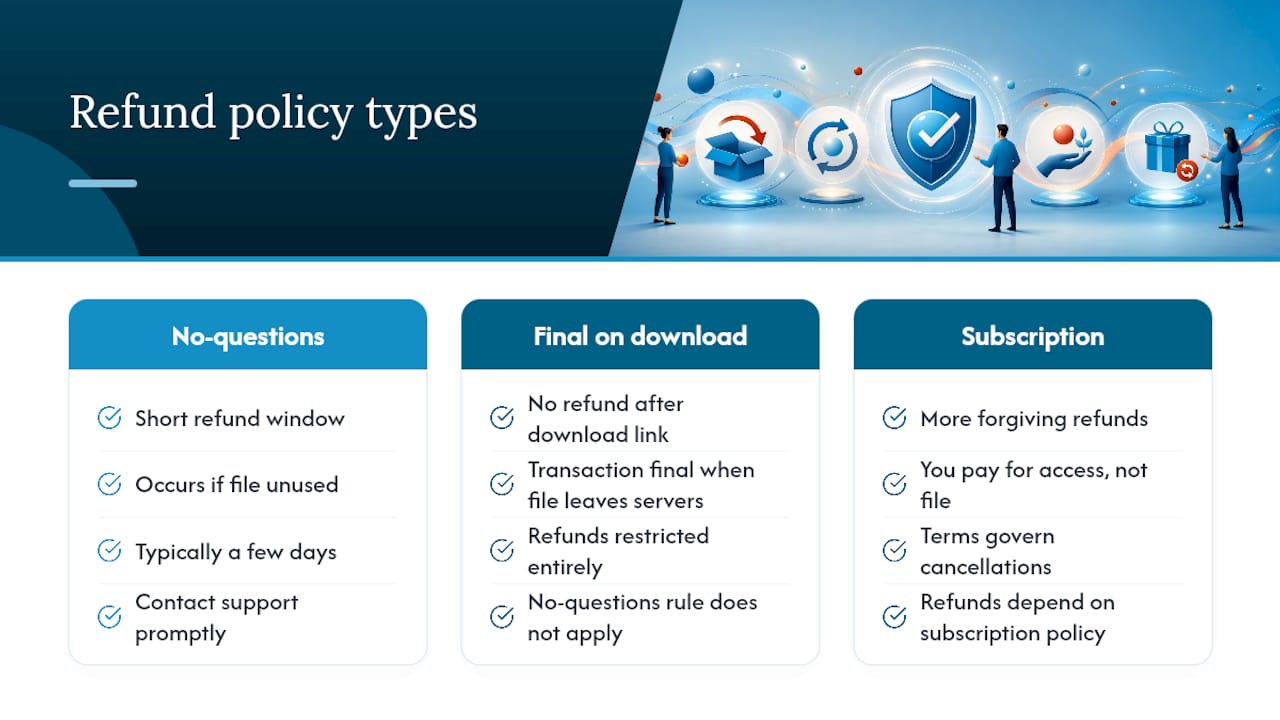
Some stores offer no-questions-asked refunds within a short window, typically a few days, provided you contact support before extensively using the file. Others restrict refunds entirely once a download link has been clicked, treating the transaction as final the moment the file leaves their servers. Subscription-based platforms tend to be more forgiving, since you’re paying for ongoing access rather than a single permanent file.
Before you buy anything, especially from a smaller or unfamiliar retailer, look for the refund policy explicitly stated on the product page or in the store’s terms of service. If it’s not listed anywhere, treat that silence as a warning sign rather than an oversight. A retailer confident in its catalog usually states its return terms plainly, because vague or missing refund language often means the store hasn’t thought through what happens when a customer runs into a legitimate problem.
Keep your purchase receipt and confirmation email regardless of the platform. If a file arrives corrupted or in the wrong format, that paperwork is what support teams ask for first, and having it ready speeds up any refund conversation considerably.
Fixing the Most Common Ebook Headaches
Most ebook problems fall into a small handful of repeat offenders, and nearly all of them have a quick fix.
The file won’t open at all. Usually a format mismatch. A PDF reader can’t open an EPUB file and vice versa, so confirm you’re using an app that supports the specific format you downloaded, not just “an ebook app” generically.
The download stalls or fails partway through. Often a connection issue rather than a store problem. Switch from Wi-Fi to a wired connection if you can, or try downloading again during a less congested time of day. Clearing your browser cache before retrying solves this more often than people expect.
Text looks garbled or images are missing. This usually means the file itself downloaded incompletely. Delete the partial file entirely and redownload from your account rather than trying to open a corrupted copy.
The book won’t sync between devices. Confirm you’re logged into the same account on both devices first, since this is the single most common cause. If that checks out, the file may have been sideloaded on one device and store-managed on the other, which breaks automatic syncing entirely.
DRM is blocking access on a second device. Some DRM-protected files cap the number of authorized devices. Check the platform’s device limit in your account settings before assuming the file itself is broken.
When none of these fixes work, contact the retailer’s support directly with your receipt in hand. A working file that won’t open is almost always a support ticket away from resolved, not a sign you wasted your money.
Authoritative Resources to Learn More
- How to Purchase Ebooks covers the core format and DRM tradeoffs behind smart buying decisions.
- Google Play Books’ help center explains how store-managed syncing actually works.
- How to Sync Your eBook Library Across Devices offers practical migration advice when switching reading apps.
What Actually Matters When You’re Buying Ebooks
Most advice about ebooks obsesses over price and cover art, and almost ignores the one factor that determines whether you’ll actually finish the book: whether the format fits how you read. A $2 discount means nothing if you bought a PDF cookbook that turns into an unreadable mess on your phone.
The conventional wisdom, “just buy whatever’s cheapest or has the best reviews,” skips the step that matters most: checking format and DRM before checkout, not after you’re already frustrated. Reflowable text isn’t a nice feature for self-improvement and fiction; it’s the difference between reading comfortably and giving up by chapter three. Fixed layout isn’t a limitation for cookbooks; it’s the entire point.
If you take one thing from this guide, prioritize format fit over discount size. A curated catalog that flags format and supports multi-device reading from the start, eBook Warehouse’s model among them, saves you the guesswork that trips up most first-time digital buyers.
— Stephen
Ready to Build Your Own Ebook Library?
eBook Warehouse gives you what a scattered search across five different storefronts can’t: a curated catalog where every title has already been checked for format fit, whether that’s EPUB for a personal development read or PDF for a cookbook that needs its layout intact.
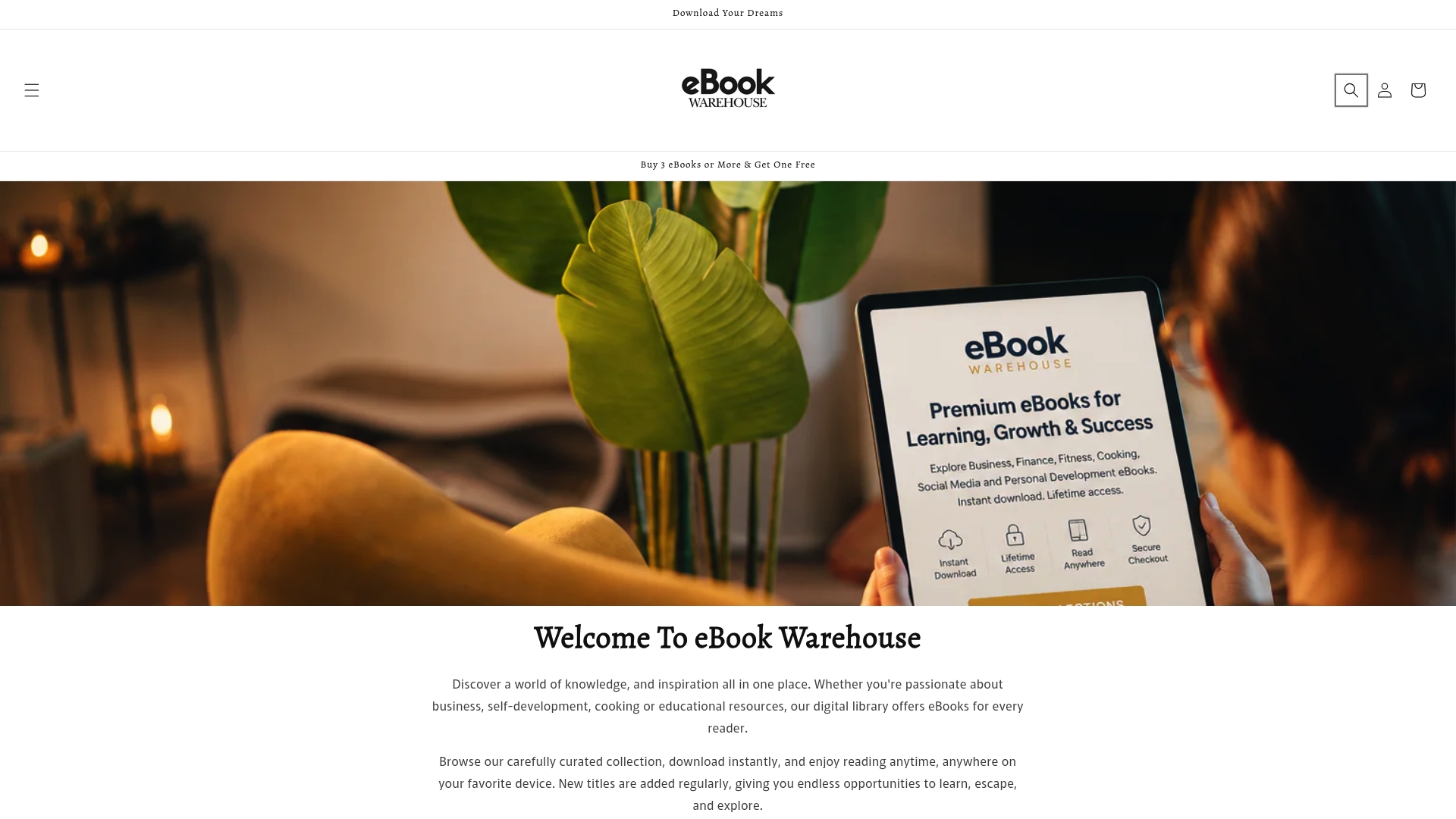
The catalog spans business, personal development, health, cooking, and social media, with niche titles alongside recognizable names, so you’re not stuck choosing between depth and popularity. Every purchase reads across multiple devices, meaning the sync headaches covered earlier in this guide are already solved before you buy. If you’re ready to put a specific goal behind your next read, start with a title built for it: Maximise Your Earnings walks through practical income growth strategies, and it’s a solid entry point into what the catalog offers. Browse the collection, check the format listed on the product page, and download your first title today.
Sources
- How To Purchase Ebooks
- Buy & read ebooks - Android - Google Play Help
- Share and sync PDFs with Adobe Acrobat
- How to Sync Your eBook Library Across Devices