

Best Kindle Unlimited Alternatives for Ownership in 2026
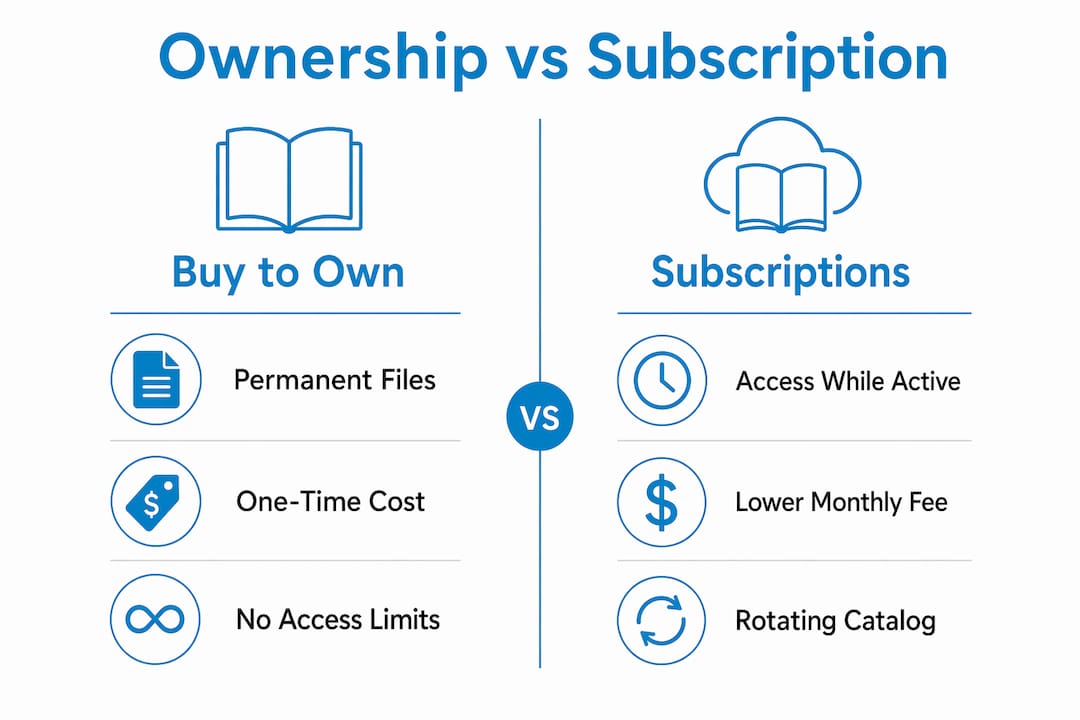
If you want to keep what you read, buy individual titles. If you read more than three or four books a month and don’t mind losing access when you cancel, a budget subscription makes sense. For free access with no monthly fee, start with Libby or Hoopla through your library card.
The short version: buy-to-own stores (best for permanent files), library loan apps (best free option), budget subscriptions (best for high-volume casual reading), and niche services (best for comics, manga, or specialized collections). Ebook-warehouse sits in the first category, offering instant PDF downloads across personal development, cooking, and business. Project Gutenberg covers the public-domain end for free. The catch with any “unlimited” subscription is the Big Five publishers, who often sit out those catalogs entirely.
Table of Contents
- What are the best Kindle Unlimited alternatives right now?
- How do you pick the right alternative for your reading habits?
- Which specific services and stores are worth your time?
- Why Ebook-warehouse works for permanent access to niche titles
- What should you actually do next?
- Key Takeaways
- The case for mixing your reading sources
- Ebook-warehouse: instant downloads for the titles you’ll actually keep
- Useful sources for catalog and pricing details
What are the best Kindle Unlimited alternatives right now?
| Category | Price model | Ownership | Bestseller access | Device/format | DRM & offline | Trial/free tier | Best for |
|---|---|---|---|---|---|---|---|
| Buy-to-own stores | Per book | Keep forever | Yes (depends on store) | PDF, EPUB, multi-device | DRM varies; offline always | No trial; single purchase | Permanent reference files |
| Library loan apps (Libby, Hoopla) | Free (library card) | Temporary loan | Often yes, with waitlists | App-based; EPUB | DRM-locked; offline available | Always free | Zero-cost reading |
| Budget subscriptions (Scribd/Everand, Kobo Plus) | Monthly fee | Licensed only | Limited; Big Five gaps | App-based | DRM-locked; offline in-app | 30-day trial common | High-volume leisure reading |
| Niche/genre services | Monthly fee | Licensed only | Genre-specific | App-based | DRM-locked | Short trial or free tier | Comics, manga, single genre |
| Public-domain repositories (Project Gutenberg) | Free | Keep forever | Classics only | EPUB, PDF, HTML | DRM-free | Always free | Classic literature |
Break-even reality: Subscription value flips in your favor at roughly three to four ebooks per month. Read fewer than that, and buying individual titles is almost always cheaper.
Quick trade-offs by category:
- Buy-to-own: Files are yours permanently, but you pay per title. No rotating catalog risk.
- Library apps: Completely free, but popular titles often have waitlists, and loans expire automatically.
- Budget subscriptions: Good for binge readers, but rotating catalogs mean titles can disappear, and Big Five bestsellers are frequently absent.
- Niche services: Unbeatable value if the genre fits, useless if it doesn’t.
- Public-domain: Free and DRM-free, but the catalog stops at copyright expiration.
How do you pick the right alternative for your reading habits?
Work through these six questions before committing to anything:
- Do you need to keep the file permanently? If yes, only buy-to-own qualifies. Subscriptions are rental models: access ends when you cancel.
- How many books do you actually finish per month? Under three, per-book purchases usually win on cost. Three or more, a subscription starts to pay off.
- Are your must-read titles from major publishers? Kindle Unlimited’s catalog skews heavily toward indie and self-published titles because of KDP Select exclusivity. Most subscription services share that gap.
- Do you need audiobooks too? Audible Plus gives unlimited access to a broad selection of titles; Premium Plus adds one credit per month for any audiobook you keep permanently.
- What devices do you read on? PDF works everywhere. EPUB needs a compatible reader app. Check ebook file formats before you buy.
- Are you in the US? Most services are available here, but some (Kobo Plus) have limited regional rollouts.
Red flags that should disqualify a service:
- No clear DRM policy published anywhere on the site
- Vague “millions of titles” claims with no publisher list
- No refund or return policy for downloaded files
- App-only access with no download option
Pro Tip: Multiply your expected monthly reads by the average per-book price in your genre (typically $10–$15 for business and personal development). If that number exceeds the subscription fee, subscribe. If not, buy individually.
Which specific services and stores are worth your time?
Buy-to-own ebook stores
You pay once, you keep the file. Stores like Ebook-warehouse deliver instant PDF downloads you can read on any device without worrying about a subscription lapsing. Permanent ownership matters most for reference titles you’ll return to repeatedly, like a business planning guide or a cookbook you use weekly. Formats are typically PDF or EPUB; DRM policies vary by store, so check before buying. For a broader look at one-time-purchase marketplaces, the Kindle alternatives overview on Ebook-warehouse’s blog covers the main options.
- Pros: Permanent access, no monthly fee, works offline on any device
- Cons: Cost adds up if you read many titles; no trial period
- Best for: Reference books, cookbooks, business guides, personal development titles you’ll reread
Library loan apps: Libby and Hoopla
Both are free with a library card. Libby (powered by OverDrive) connects to your local library’s licensed catalog, which can include current bestsellers, though popular titles often have waitlists tied to the library’s licenses. Hoopla tends to allow simultaneous borrowing without waitlists, depending on your library’s agreement. Loans expire automatically, so there’s nothing to cancel.
- Pros: Completely free, wide catalog, audiobooks included
- Cons: Waitlists for popular titles, loans expire, library card required
- Best for: Readers who want free access and can wait for new releases
Budget subscriptions: Scribd/Everand and Kobo Plus
Scribd has moved to a credit-based model under the Everand brand. There are paid plans offering credits for premium titles, with additional access to a smaller catalog of magazines, podcasts, and Everand Originals. Big Five publishers now release titles simultaneously on Everand, which is a genuine improvement over the old model. The catch: heavy users on the old unlimited plan reported throttling, and the new credit system limits how many premium titles you can access monthly.
Kobo Plus offers separate ebook and audiobook tiers, with a combined plan available. It includes a large catalog of ebooks and audiobooks, and a 30-day free trial. It lacks magazines, and the catalog still has gaps for mainstream business titles.
- Pros: Lower monthly cost than buying several titles, trial periods available
- Cons: Catalog gaps for Big Five titles, access ends at cancellation, throttling possible
- Best for: Leisure readers who finish three or more books monthly
Niche and genre services
ComiXology Unlimited covers digital comics at $5.99/month with a 60-day free trial and over 1,250 complete series from publishers including Image Comics, Dark Horse, and IDW Publishing. For manga or single-genre platforms, niche services often deliver better value than broad subscriptions because the catalog depth actually matches what you want to read.
- Pros: Deep catalog in the target genre, lower price point
- Cons: Useless outside the genre, still a rental model
- Best for: Comics readers, manga fans, or anyone with a single focused interest
Public-domain repositories
Project Gutenberg offers tens of thousands of classic titles in EPUB, PDF, and HTML, all DRM-free and free to keep. The catalog is limited to works out of copyright, so don’t expect anything published in the last several decades. Ideal for background reading, classic literature, or older reference material.
- Pros: Free, DRM-free, permanent files
- Cons: No modern titles, no bestsellers
- Best for: Classic literature, historical reference
Pro Tip: Before paying for any subscription, check whether the specific titles on your reading list are actually in that catalog. Most services let you search before subscribing.

Why Ebook-warehouse works for permanent access to niche titles
For personal development, cooking, and business titles you’ll return to more than once, Ebook-warehouse is the buy-to-own option worth bookmarking. The catalog focuses on exactly those categories, including niche subjects that broader subscription services rarely prioritize. Files are PDF, download instantly after purchase, and work across any device without an app subscription keeping you locked in.
How to buy in four steps:
- Search or browse by category (business, cooking, personal development, wellness).
- Add the title to your cart.
- Complete checkout.
- Download the PDF immediately and save it to your preferred device or cloud storage.
PDF is the right format for reference titles you’ll annotate, share across devices, or use during cooking or study sessions. For device compatibility guidance, the best ebook reader apps guide on Ebook-warehouse’s blog covers which apps handle PDFs best on iOS, Android, and desktop.
The catalog includes titles like the Business Growth Bundle, Personal Productivity, and practical cooking titles such as the Easy Cookbook. Occasional bundle promotions (buy-three-get-one-free) make the per-title cost even lower than a monthly subscription for focused readers.
What should you actually do next?
The decision is straightforward once you know your priority:
- Need to own the file permanently? Buy a single title from Ebook-warehouse and compare the experience to any subscription you’re considering.
- Want free access first? Download Libby or Hoopla, link your library card, and check whether your must-read titles are available without a waitlist.
- Read heavily and don’t need to own? Start a free trial on Kobo Plus or Everand, but check your specific titles are in the catalog before the trial ends.
One caution: subscription catalogs rotate. A title available today may not be there in three months, which makes subscriptions a poor fit for anything you plan to reference repeatedly.
Key Takeaways
Buying individual ebooks is cheaper than subscribing unless you consistently read three or more titles per month, and it’s the only option that guarantees permanent access to the files you rely on most.
| Point | Details |
|---|---|
| Ownership vs. license | Subscriptions end access when you cancel; buy-to-own files stay with you permanently. |
| Break-even threshold | Subscriptions pay off at roughly three to four ebooks per month; below that, per-book purchases cost less. |
| Free option first | Libby and Hoopla give free access via a library card before you spend anything. |
| Catalog gaps matter | Most subscription services exclude Big Five publisher titles, which affects business and personal development readers most. |
| Ebook-warehouse for niche titles | Instant PDF downloads across cooking, business, and personal development with no ongoing subscription required. |
The case for mixing your reading sources
The readers who get the best value don’t pick one model and stick with it. Library apps cover new bestsellers at no cost, even if there’s a short wait. A budget subscription handles leisure reading when you’re going through books quickly. And a handful of buy-to-own titles, the ones you annotate, cook from, or return to during a course, justify the per-book price every time.
A typical month might look like this: check Libby for a new business release, use a subscription for a novel or two, and buy the personal development title you know you’ll reread. The third category is where Ebook-warehouse earns its place. A cookbook you open twice a week, a productivity guide you highlight and revisit, a business planning reference you share with a colleague: these are worth owning outright, not renting.
Pro Tip: Save one essential reference as a permanent download immediately after purchase. A PDF stored locally opens in seconds, no app login required, which matters when you’re mid-recipe or mid-meeting.
Ebook-warehouse: instant downloads for the titles you’ll actually keep
Most subscription services are built for volume. Ebook-warehouse is built for the titles you want to own. If you’re looking for personal development, cooking, or business ebooks you can download immediately and keep on any device, this is the direct route.
Browse titles including LinkedIn Business Essentials, the Slow Cooker Cookbook, and the Money Mindset Makeover, all available as instant PDF downloads. No subscription, no rotating catalog, no access cutoff. Occasional bundle deals (buy-three-get-one-free) bring the per-title cost well below what most subscriptions charge per credit.
Visit Ebook-warehouse’s top business books page to find curated picks, or go straight to checkout on any title and have the file in your hands within minutes.
Useful sources for catalog and pricing details
Regional availability, publisher participation, and pricing change regularly. Check these sources directly for the latest details:
- Good e-Reader: Kindle Unlimited alternatives overview — covers Kobo Plus, Scribd/Everand, Libby, Audible, and niche services with current pricing notes.
- AllBlogThings: 7 cheaper alternatives (2026) — break-even analysis, library app comparisons, and public-domain options.
- BGR: Ditch Kindle Unlimited — niche service value and Project Gutenberg coverage.
- Book Riot: Kobo Plus review — pricing tiers, catalog depth, and throttling notes for Kobo Plus.
- World Today News: Kindle Unlimited alternatives — rotating catalog risks and publisher exclusion details.
Publisher participation and catalog contents shift without notice. Before committing to any subscription, search for your specific must-read titles on that platform’s catalog page rather than relying on general “millions of titles” claims.